> ## Documentation Index
> Fetch the complete documentation index at: https://requestly-mintlify-changelog-requestly-past-week-38456.mintlify.site/llms.txt
> Use this file to discover all available pages before exploring further.

# Managing Workspace

> Learn how to manage workspaces

### Renaming a workspace

Workspaces can be renamed by following these steps

<Steps>
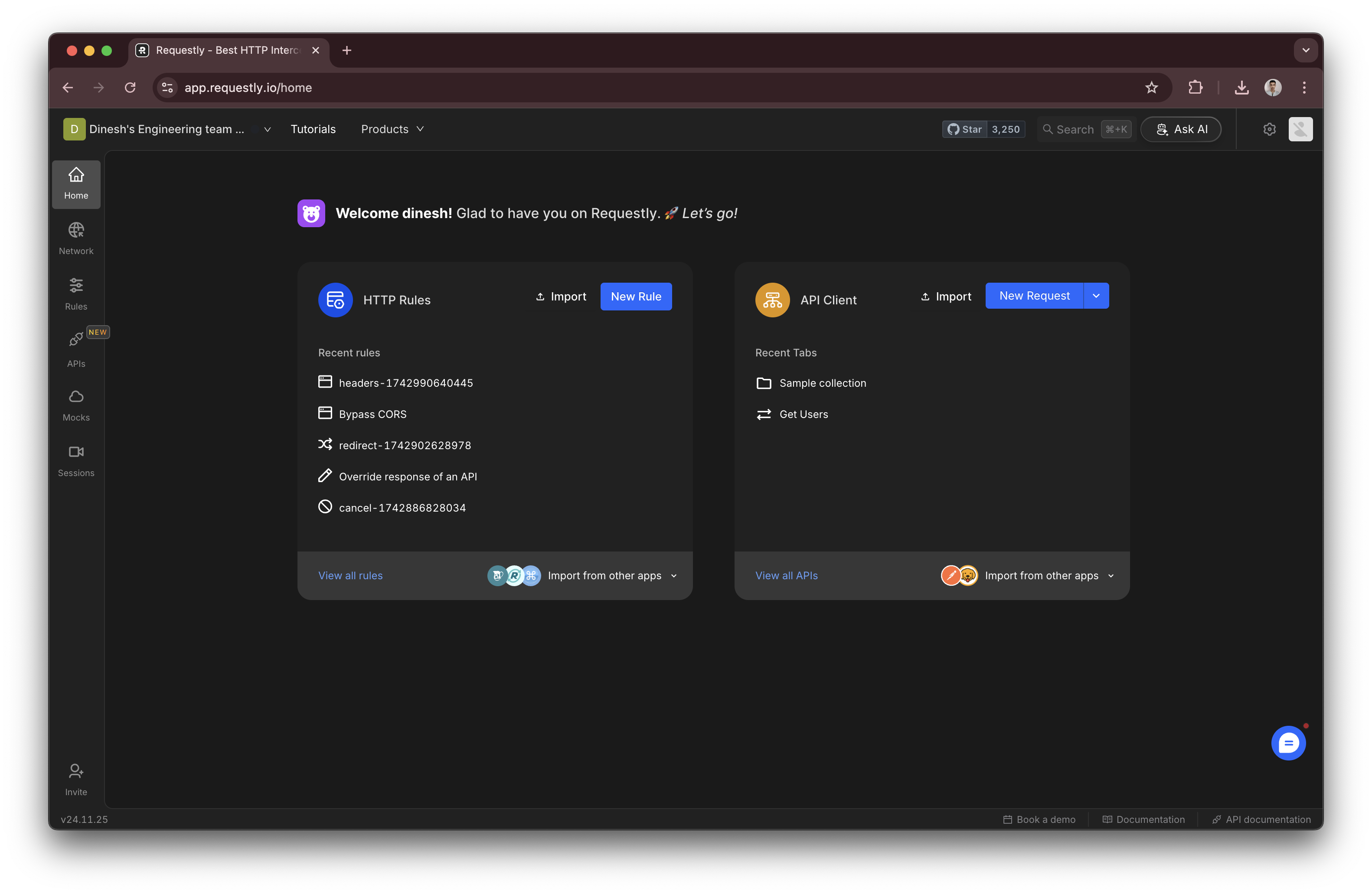
  <Step title="Click on your workspace name">
    In the Requestly dashboard, locate and click on your workspace name at the top.
    <img src="https://mintcdn.com/requestly-mintlify-changelog-requestly-past-week-38456/ukAPvwssk2QsZK5C/images/managing-workspace/accab303-1b56-4aad-ab0a-5d980d0e3b8a.png?fit=max&auto=format&n=ukAPvwssk2QsZK5C&q=85&s=d6babbb6080a3386d3762c9ce24a22eb" align="center" fullwidth="false" width="3164" height="2062" data-path="images/managing-workspace/accab303-1b56-4aad-ab0a-5d980d0e3b8a.png" />
  </Step>

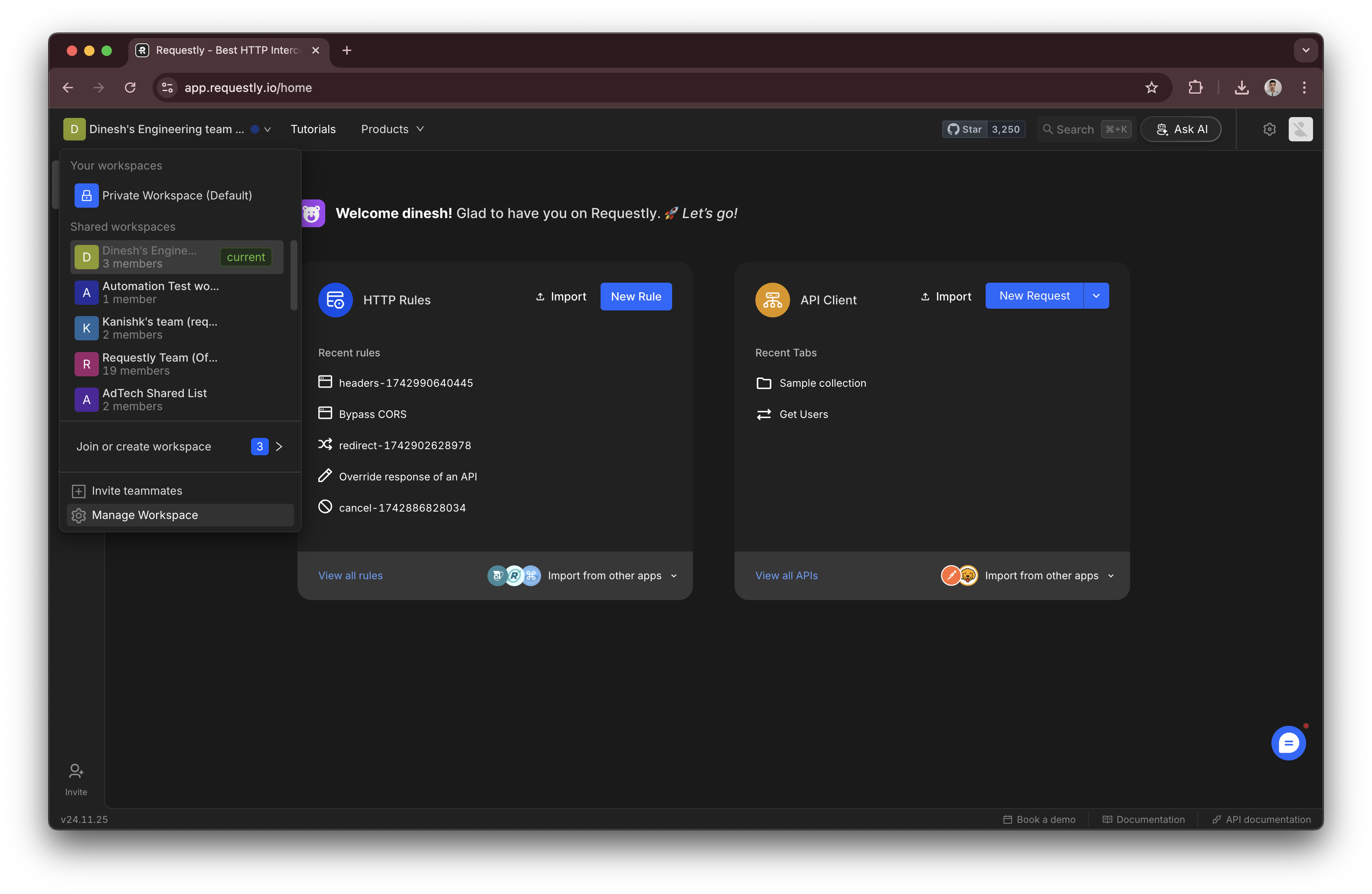
  <Step title="Go to Workspace Settings">
    From the dropdown or navigation menu, select **Workspace Settings**.
    <img src="https://mintcdn.com/requestly-mintlify-changelog-requestly-past-week-38456/ukAPvwssk2QsZK5C/images/managing-workspace/70a6a9b8-aab7-47a0-ac53-0e70b834b877.png?fit=max&auto=format&n=ukAPvwssk2QsZK5C&q=85&s=0732c3544f64ae0eefcaf21571f051c7" align="center" fullwidth="false" width="3164" height="2062" data-path="images/managing-workspace/70a6a9b8-aab7-47a0-ac53-0e70b834b877.png" />
  </Step>

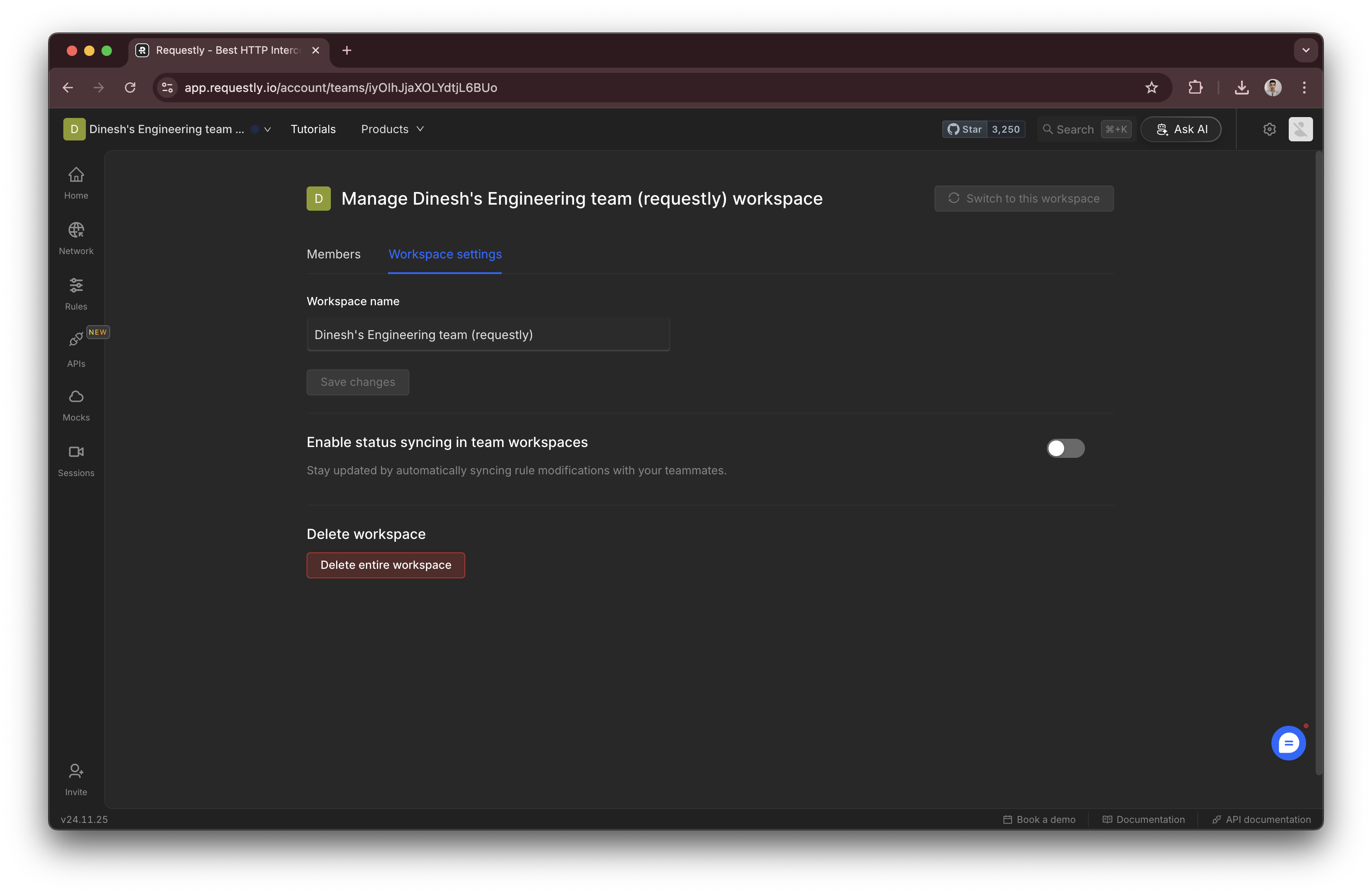
  <Step title="Edit the Workspace Name">
    In the **Workspace Settings** section, find the **Workspace Name** field and enter the new name
    <img src="https://mintcdn.com/requestly-mintlify-changelog-requestly-past-week-38456/ukAPvwssk2QsZK5C/images/managing-workspace/92a2fbd9-e625-454f-a48e-30924ebb0d55.png?fit=max&auto=format&n=ukAPvwssk2QsZK5C&q=85&s=db5629bcca965c3332aaaecc1a716ab1" align="center" fullwidth="false" width="3164" height="2062" data-path="images/managing-workspace/92a2fbd9-e625-454f-a48e-30924ebb0d55.png" />
  </Step>

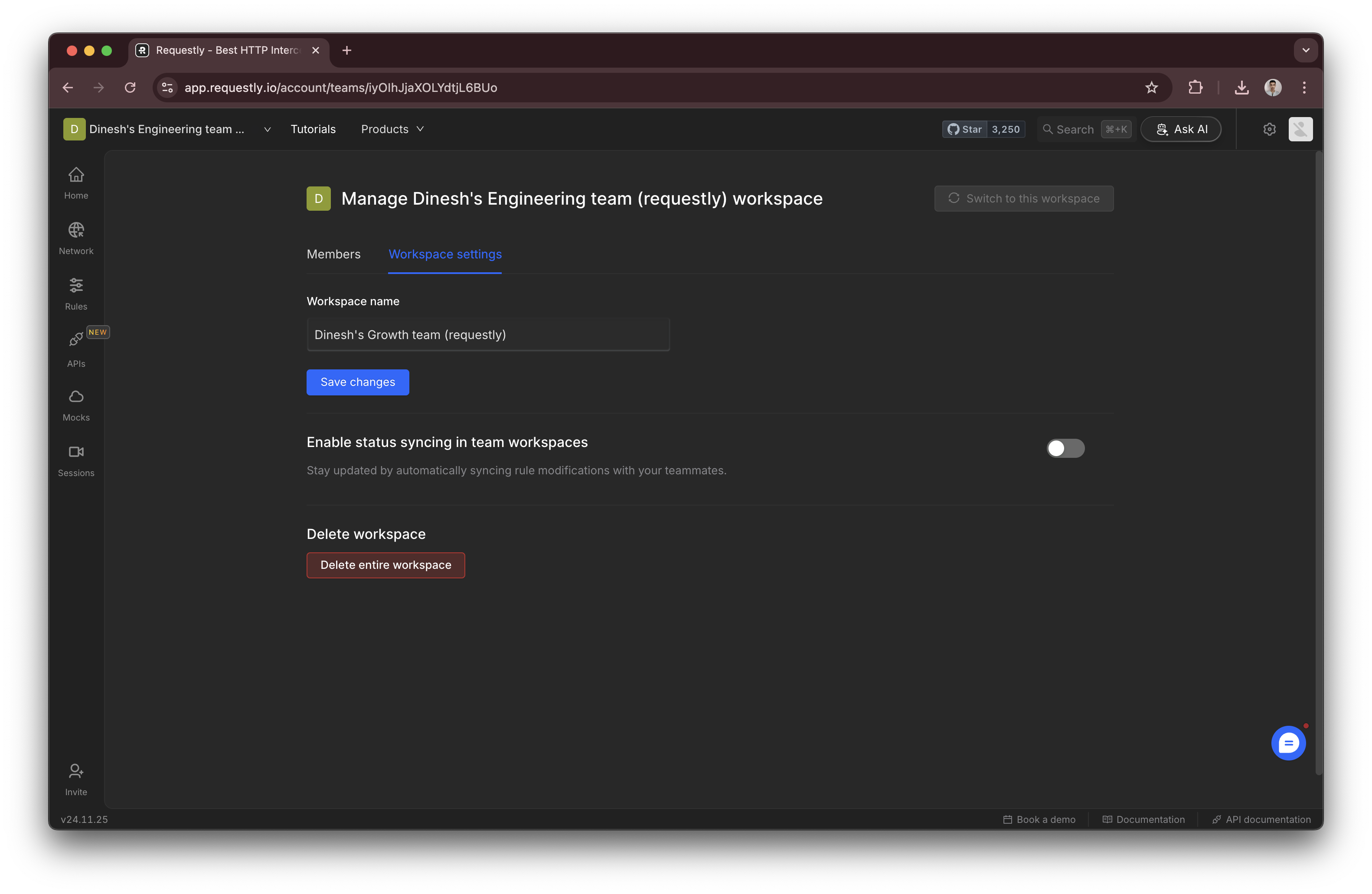
  <Step title="Save Changes">
    <img src="https://mintcdn.com/requestly-mintlify-changelog-requestly-past-week-38456/ukAPvwssk2QsZK5C/images/managing-workspace/45d67893-3956-419a-bab8-f157379c8bd6.png?fit=max&auto=format&n=ukAPvwssk2QsZK5C&q=85&s=2ea80bd515408ef86a66bfe0e936326c" align="center" fullwidth="false" width="3164" height="2062" data-path="images/managing-workspace/45d67893-3956-419a-bab8-f157379c8bd6.png" />

    Click the **Save Changes** button to apply the new workspace name.
  </Step>
</Steps>

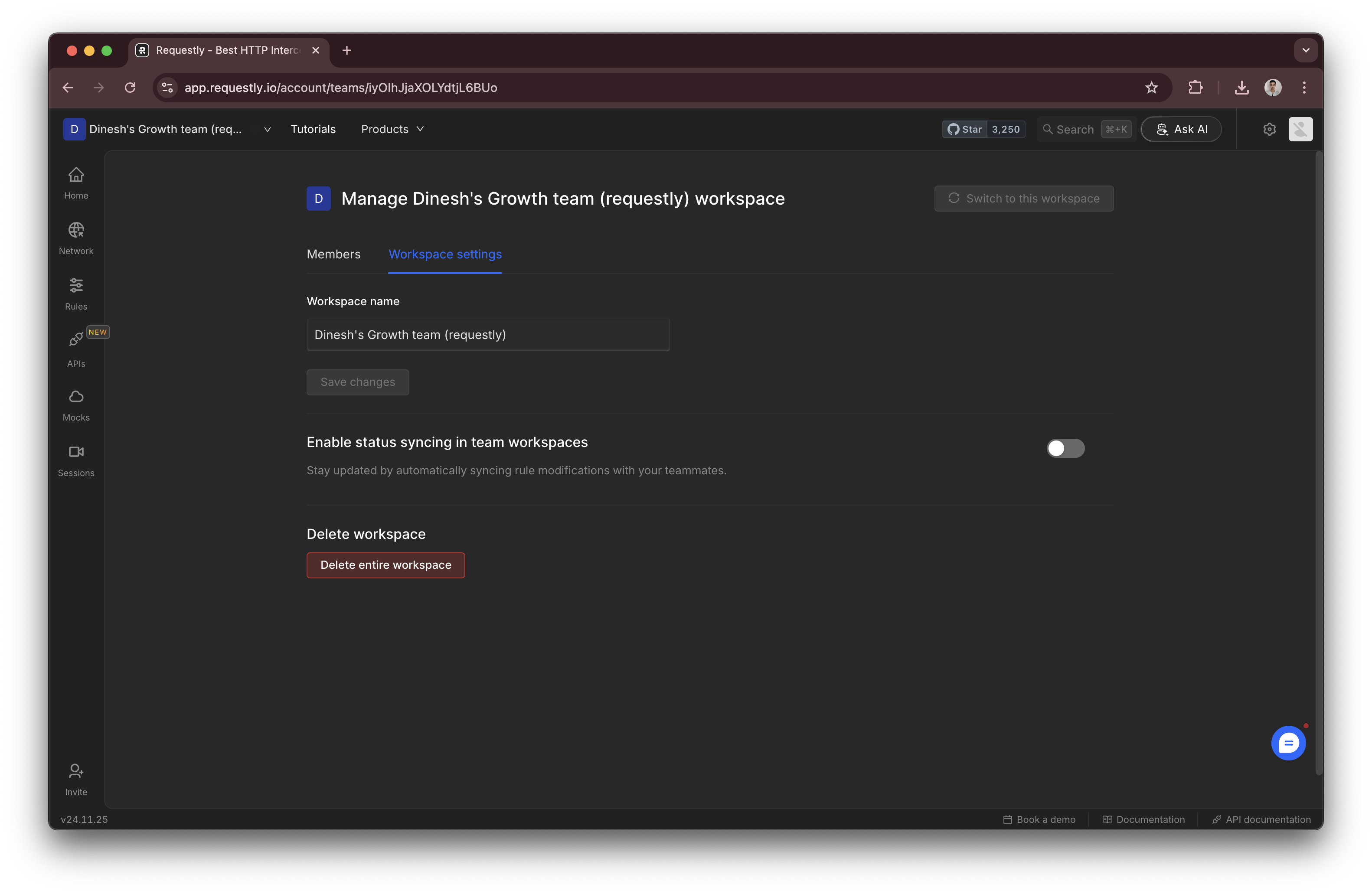
### Delete a workspace

Workspaces can be deleted using the `Delete Workspace` button in the workspace settings
<img src="https://mintcdn.com/requestly-mintlify-changelog-requestly-past-week-38456/ukAPvwssk2QsZK5C/images/managing-workspace/66f74419-1f92-4623-bff4-d3b8762c6d8d.png?fit=max&auto=format&n=ukAPvwssk2QsZK5C&q=85&s=0ab2d9df7dbacd89bf98a395fa937aa4" align="center" fullwidth="false" width="3164" height="2062" data-path="images/managing-workspace/66f74419-1f92-4623-bff4-d3b8762c6d8d.png" />