> ## Documentation Index
> Fetch the complete documentation index at: https://requestly-mintlify-changelog-requestly-past-week-38456.mintlify.site/llms.txt
> Use this file to discover all available pages before exploring further.
# Resource Override
> Learn how to migrate your configurations from Resource Override Chrome Extension to Requestly
## **Import Resource Override Configurations**
Instead of manually setting up rules, you can quickly import your Resource Override configuration and apply them with a few simple steps.
Open your browser’s DevTools and navigate to the “Override” option.
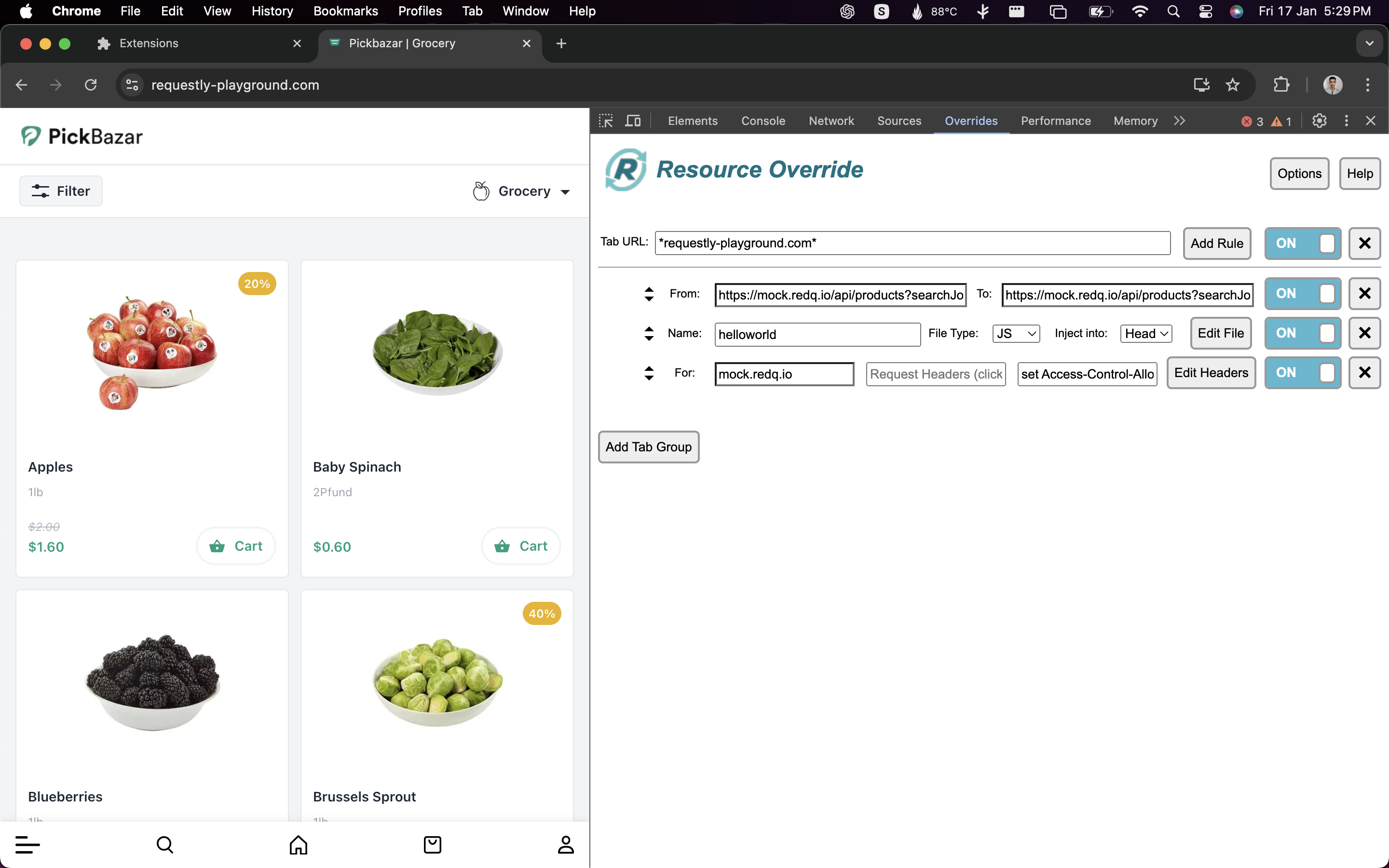
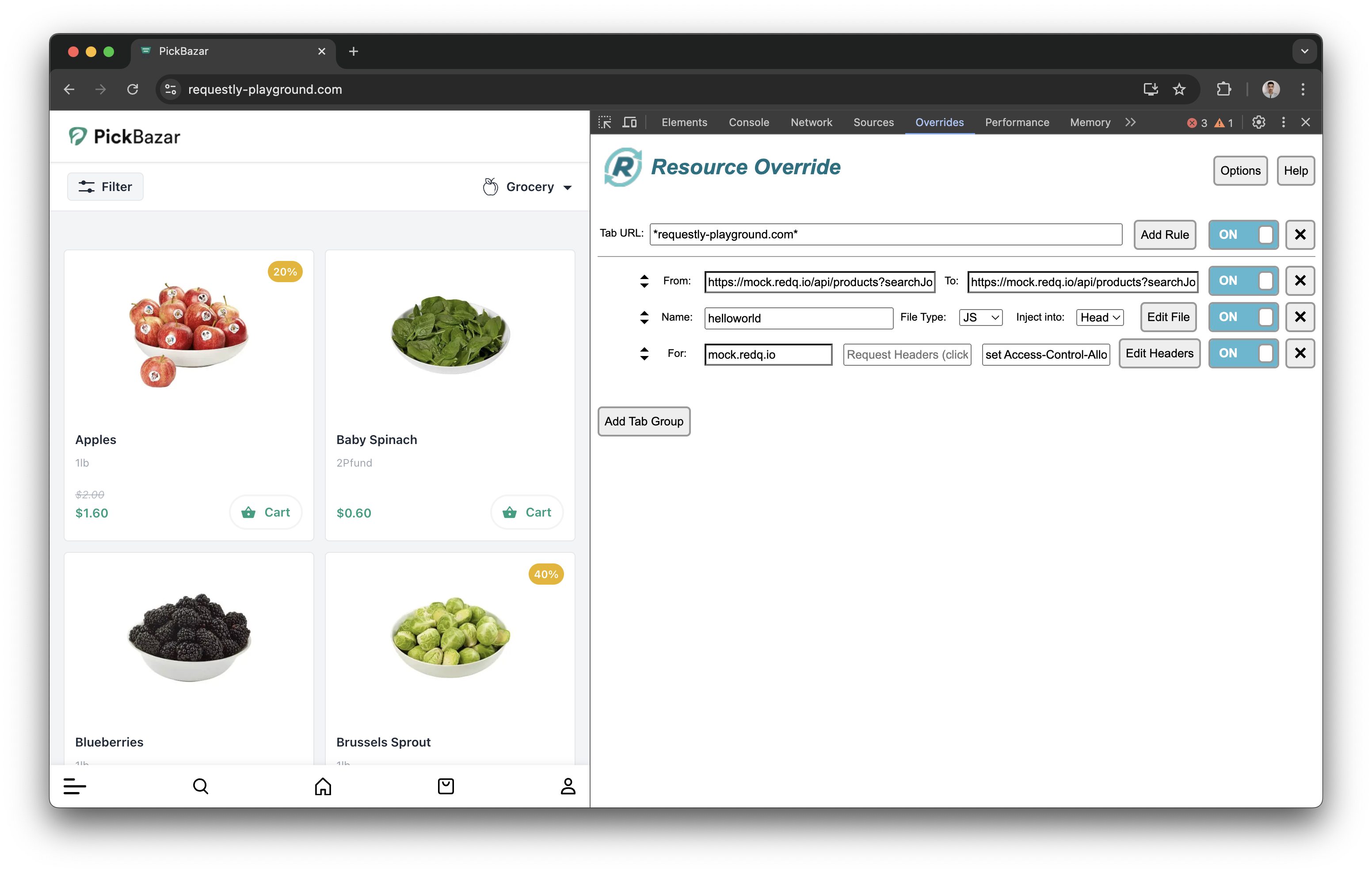 Click on the “Options” menu and then click “Save Rule” to download your current rule configuration.
 Go to the Requestly dashboard and navigate to the **HTTP Rules** section.
For the web app, you can directly open `Import from Resource Override`.
Go to the Requestly dashboard and navigate to the **HTTP Rules** section.
For the web app, you can directly open `Import from Resource Override`.
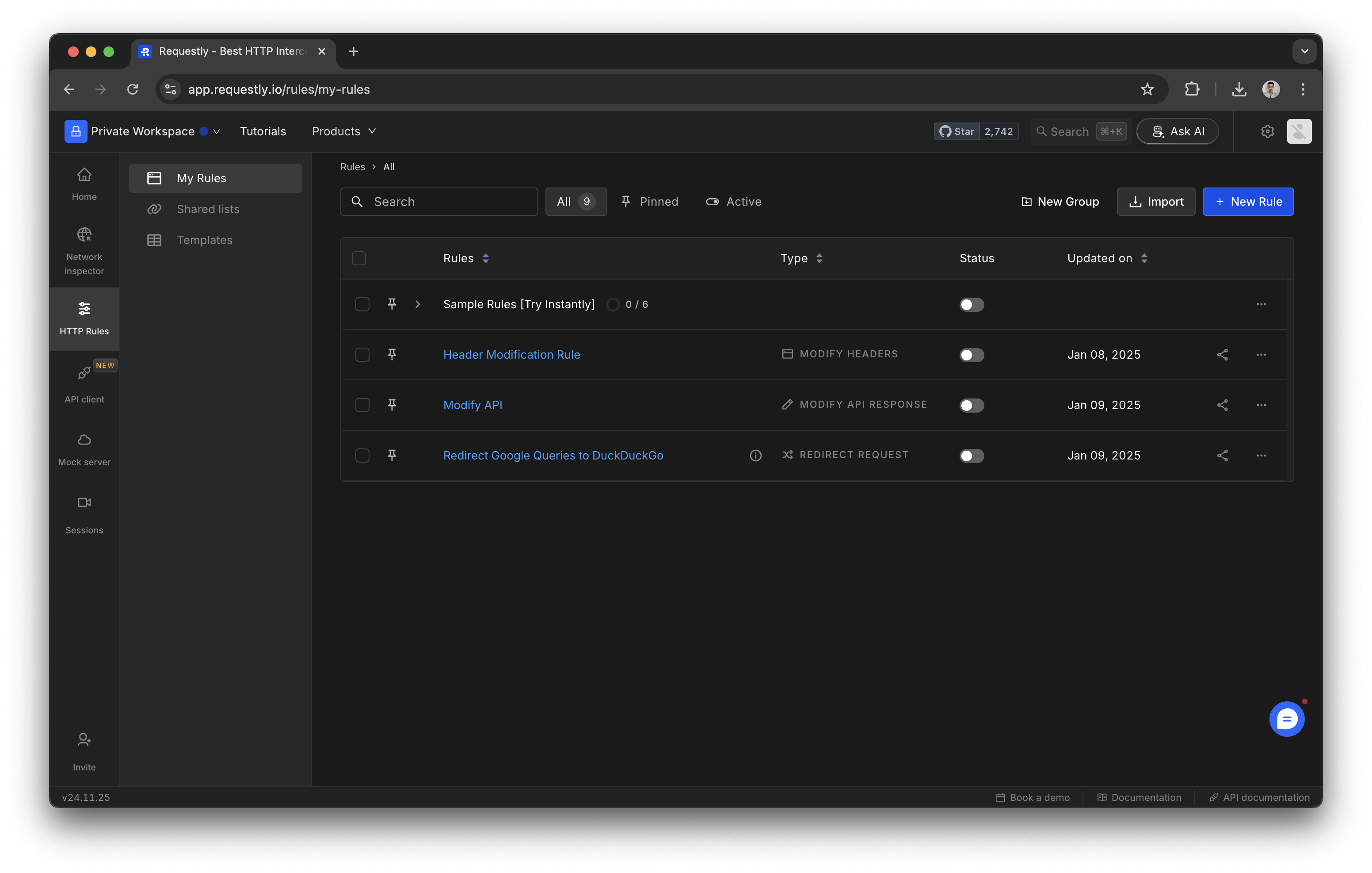 Click the **Import** button in the HTTP Rules section. Choose “Resource Override” from the available import options.
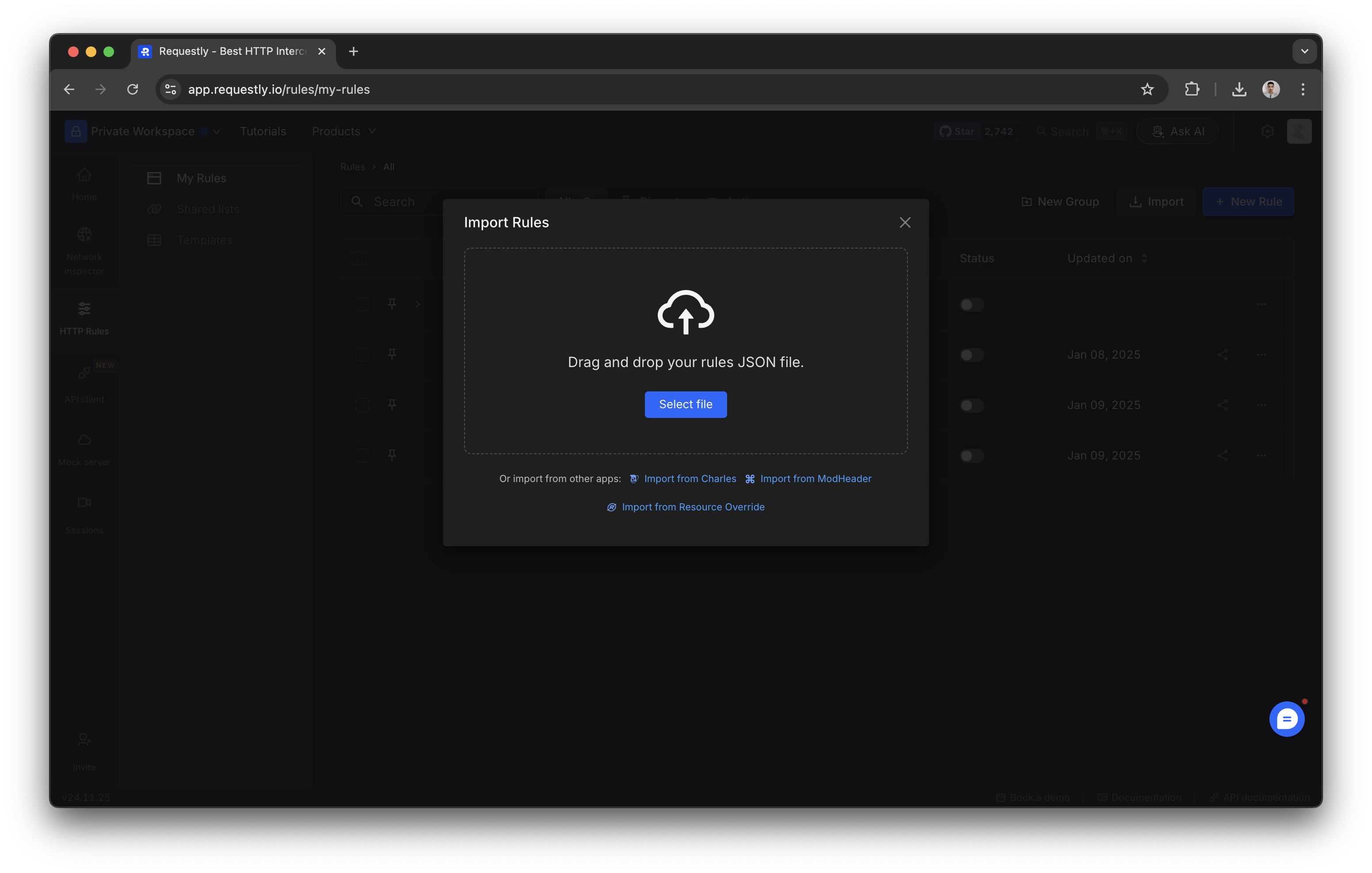 Upload the saved configuration file you downloaded earlier and click on the **Import rules** button, and your rules will be applied to your Requestly setup
Once you confirm, click on the **Import** button, and your rules will be applied to your Requestly setup.
## **Resource Override Features Comparison**
Learn more about equivalent features of Requestly that you were used in Resource Override.
### **URL → URL**
Every request URL is compared with the *Match URL* and is redirected to the *Replace URL* if the match is successful.
**Exact Match**
If your Resource Override configuration is with exact match without using any \* in it.
Upload the saved configuration file you downloaded earlier and click on the **Import rules** button, and your rules will be applied to your Requestly setup
Once you confirm, click on the **Import** button, and your rules will be applied to your Requestly setup.
## **Resource Override Features Comparison**
Learn more about equivalent features of Requestly that you were used in Resource Override.
### **URL → URL**
Every request URL is compared with the *Match URL* and is redirected to the *Replace URL* if the match is successful.
**Exact Match**
If your Resource Override configuration is with exact match without using any \* in it.
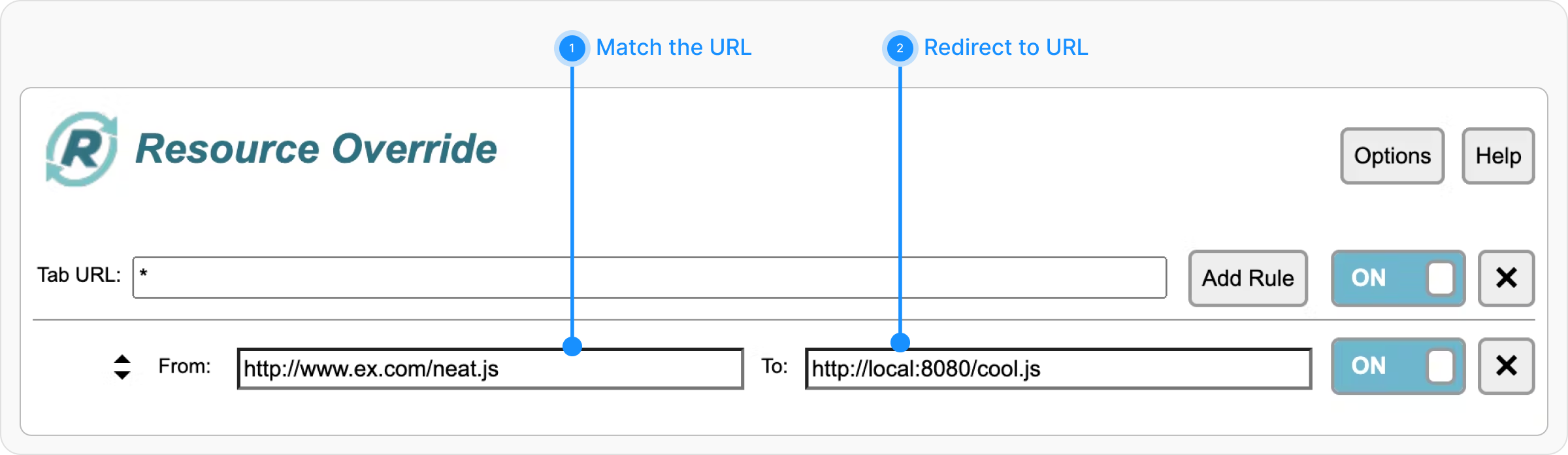 This becomes a very straightforward setup in Requestly. Use the [Redirect Rule](/general/http-rules/rule-types/redirect-rule) with the "Equals" operator.
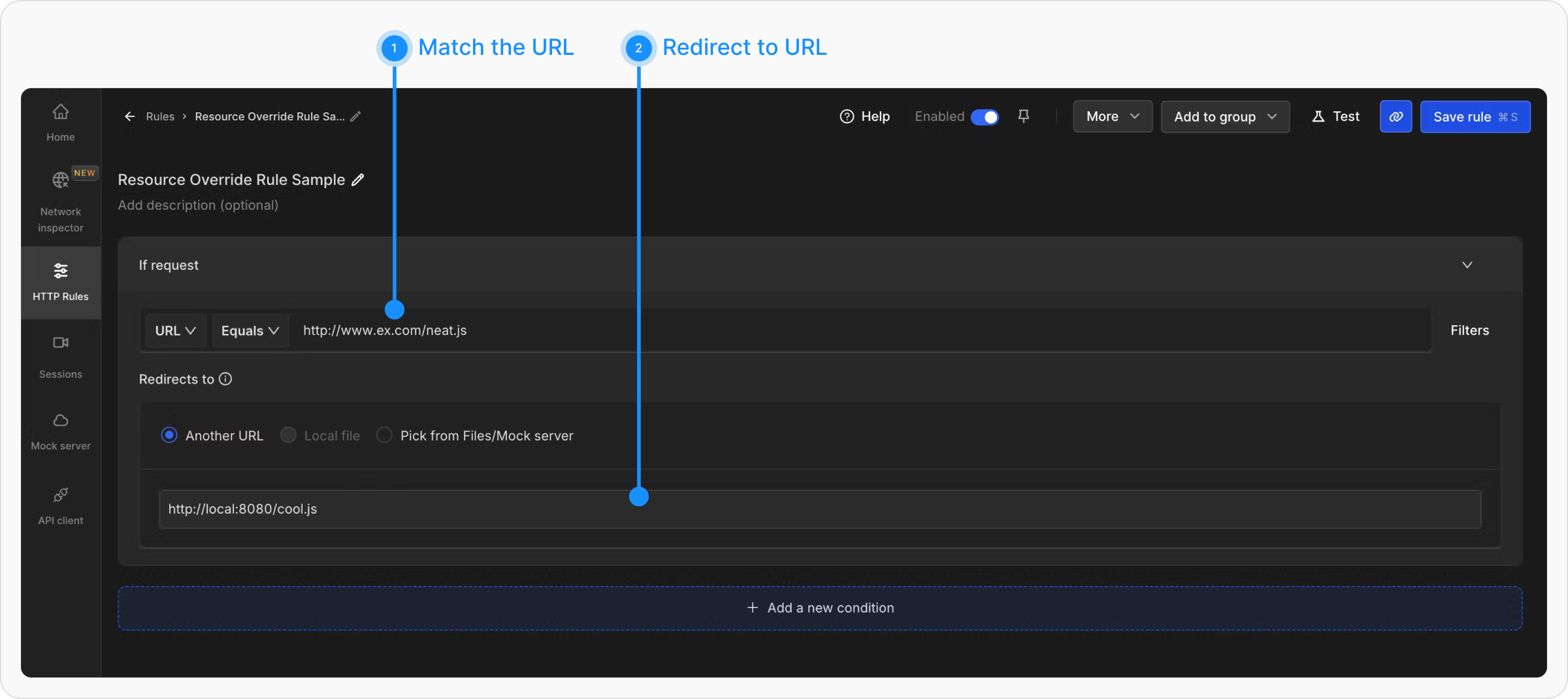 **Wildcard Match**
If your Resource Override configuration is a wildcard match with 1 \* in it.
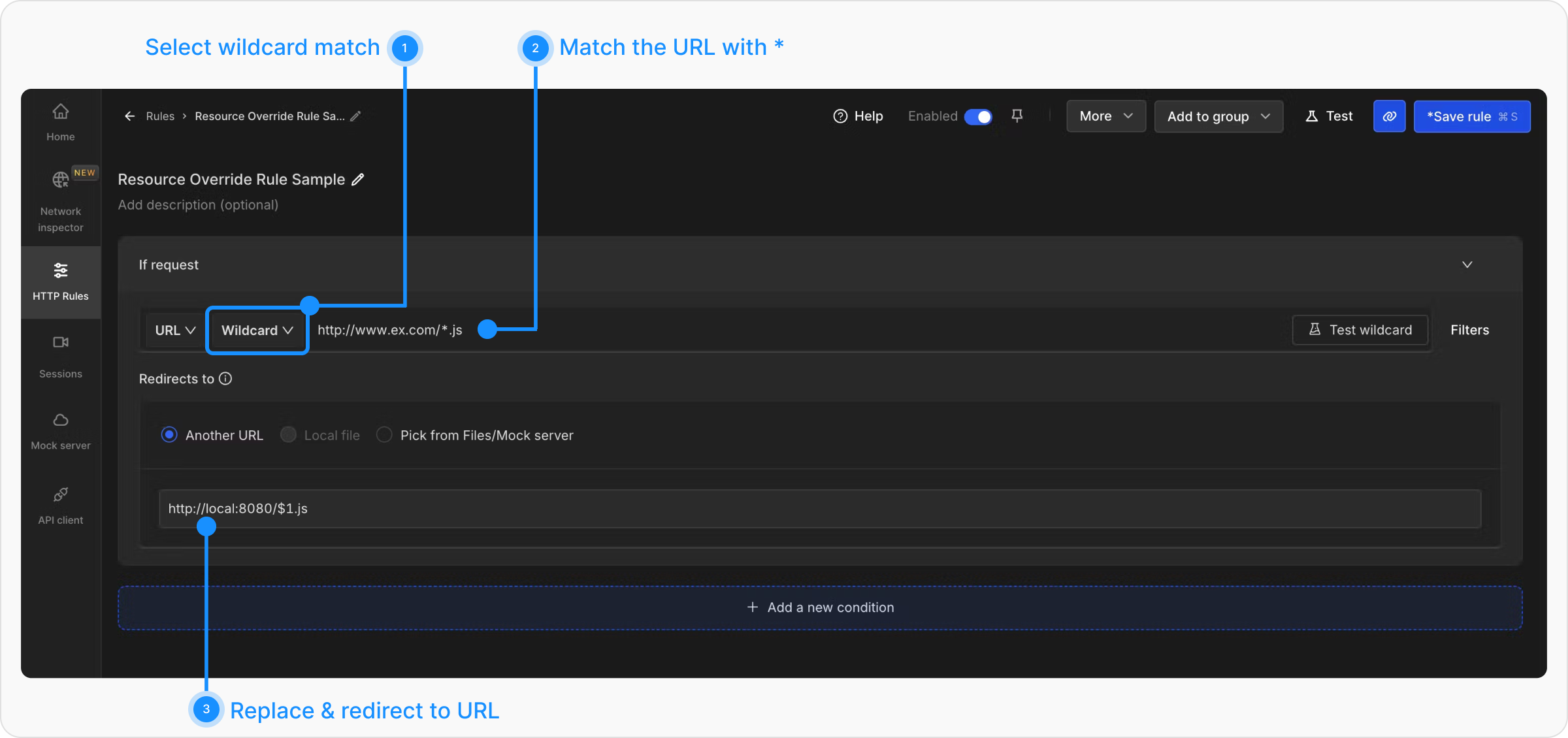
In Requestly, Use the "Wildcard" operator and the substituted value should be replaced with `$1`, Alternatively, if you want to modify the request instead of redirecting it, you can use the Replace Rule. The matched portion of the URL can be replaced using `$1`
e.g. In Requestly, You will use HTTP Redirect Rule like
**Multiple Wildcard Operators**
If your Resource Override configuration is a wildcard match with multiple \*’s in it.
**Wildcard Match**
If your Resource Override configuration is a wildcard match with 1 \* in it.
In Requestly, Use the "Wildcard" operator and the substituted value should be replaced with `$1`, Alternatively, if you want to modify the request instead of redirecting it, you can use the Replace Rule. The matched portion of the URL can be replaced using `$1`
e.g. In Requestly, You will use HTTP Redirect Rule like
**Multiple Wildcard Operators**
If your Resource Override configuration is a wildcard match with multiple \*’s in it.
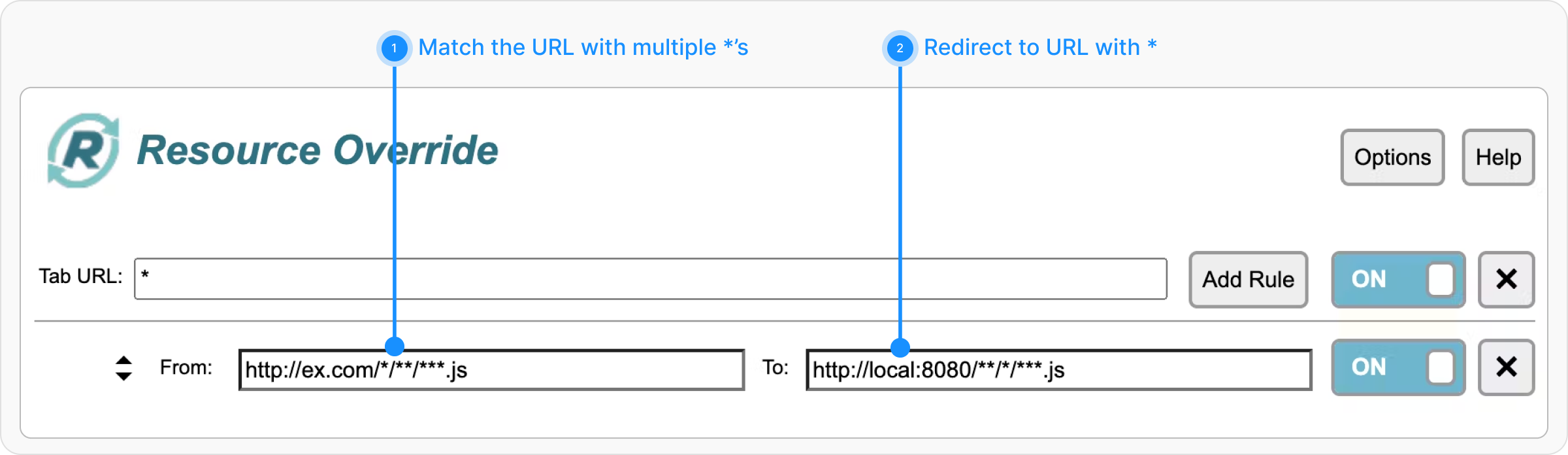 In Requestly, This becomes HTTP Redirect Rule with Wildcard Operator. Each star gets a number from left to right. You can use $\ like $1, \$2 where you want to use the matched values of \*’s.
 ### URL → File
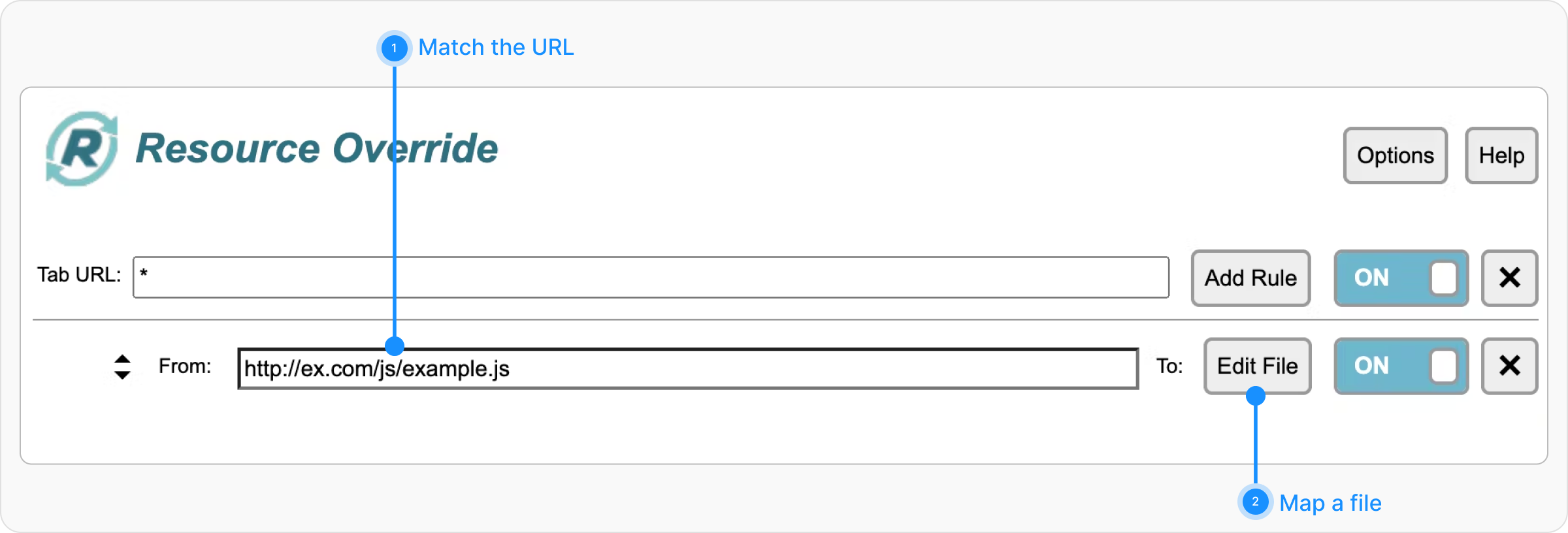
When you want to load a file in place of the Matched URL.
### URL → File
When you want to load a file in place of the Matched URL.
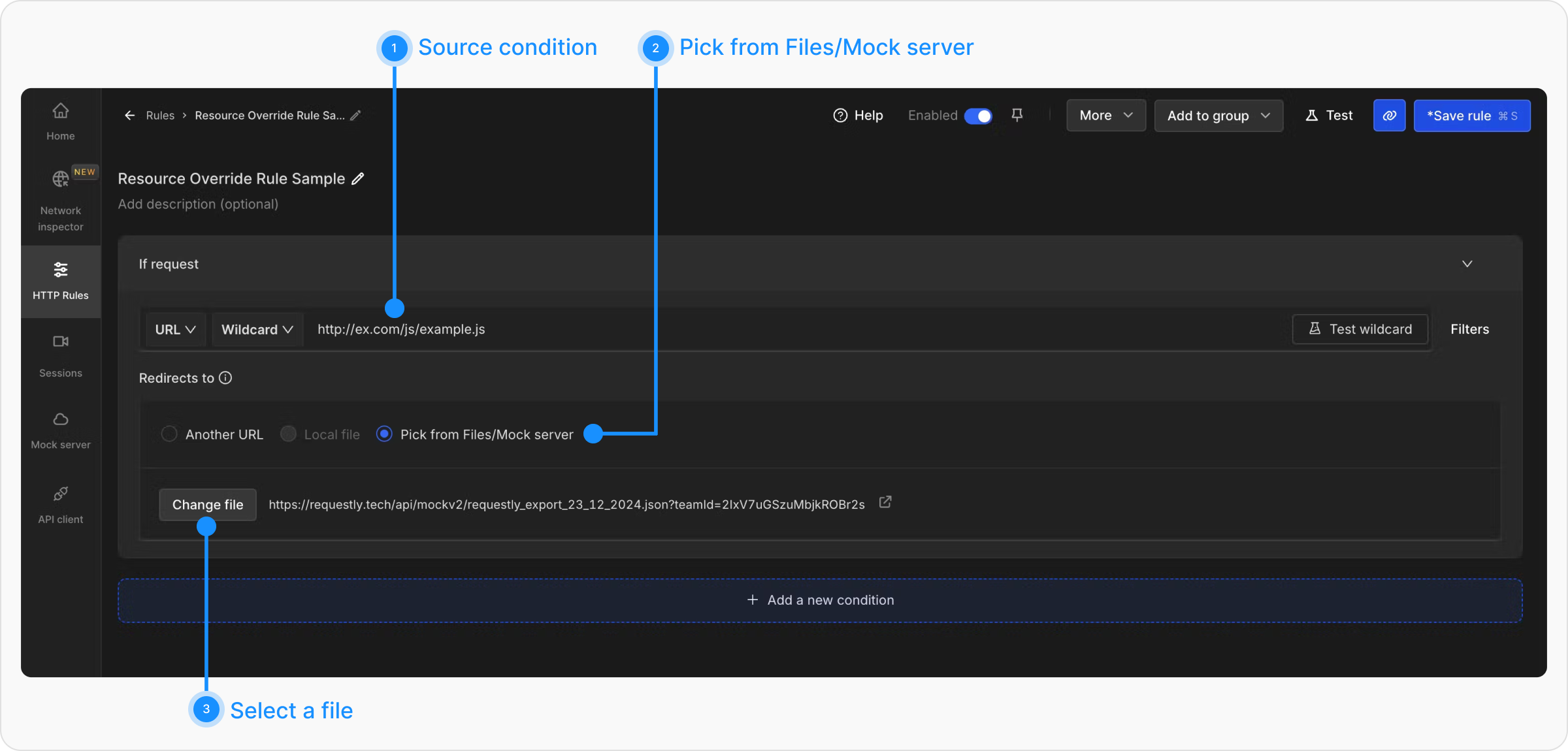
 In Requestly, you can use the **Redirect Request Rule** with **Redirects to** option as **Pick from Files/Mock Server** and then select the file/create a file that you want to load.
 ### Inject File
In Resource Override, you can select a file(JS/CSS) and inject that into a webpage.
### Inject File
In Resource Override, you can select a file(JS/CSS) and inject that into a webpage.
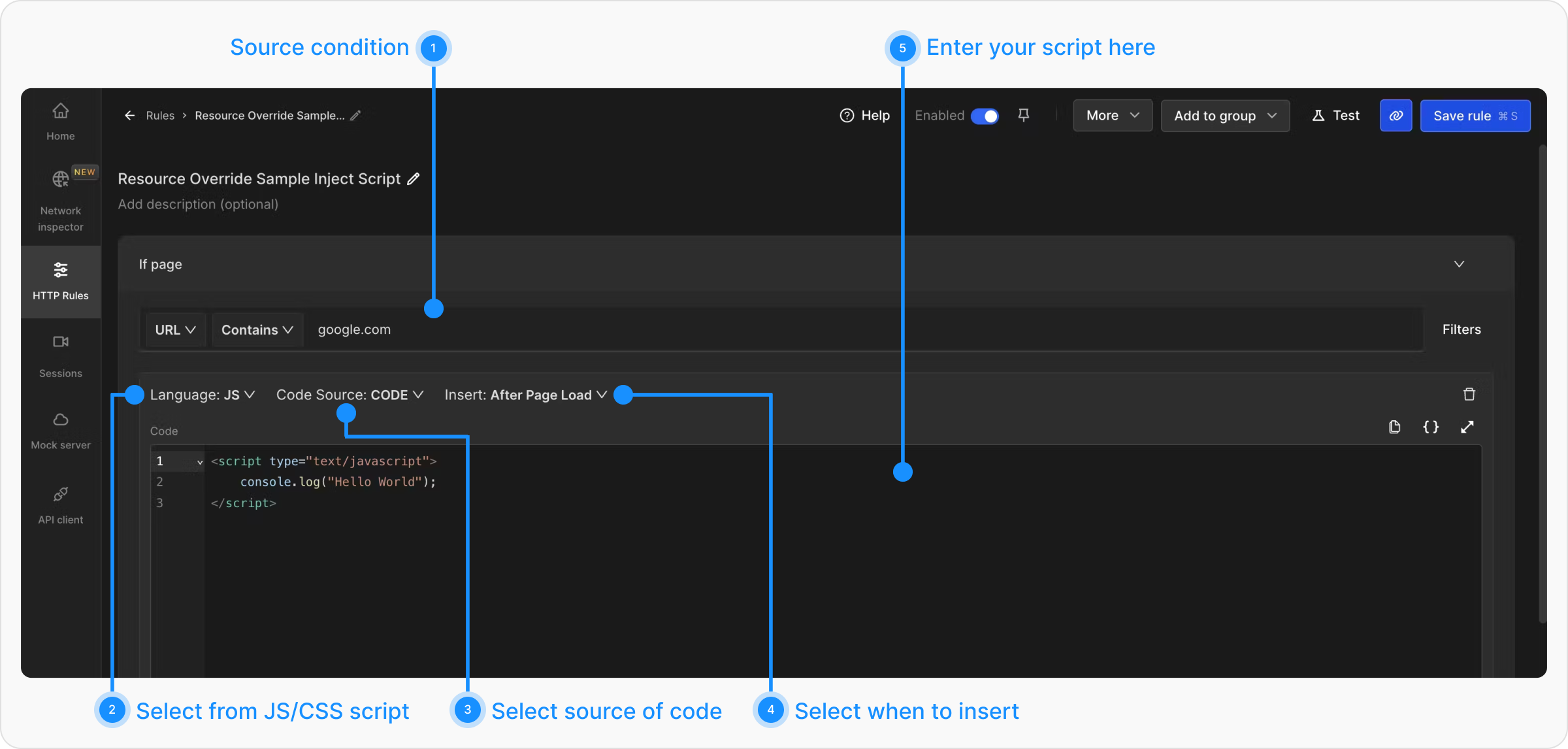
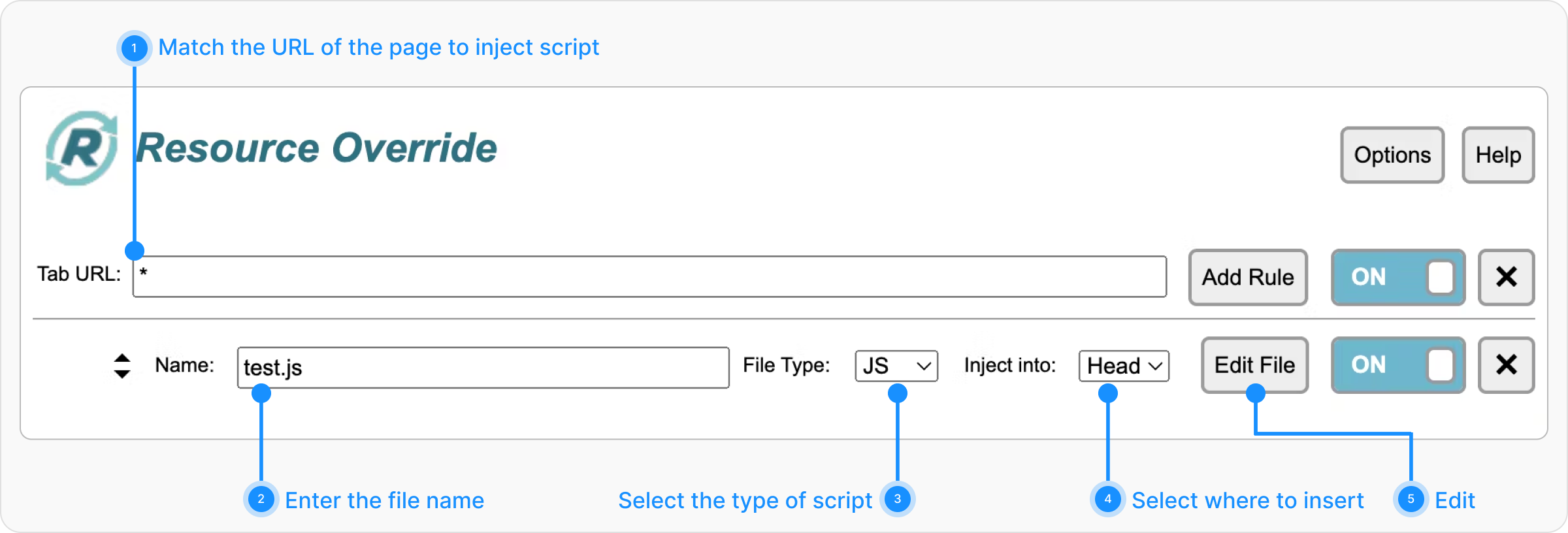 In Requestly, you can use Inject Script Rule as below.
 ### Change Headers
In Resource Override, you can use Change Headers to update the Request or Response Headers.
### Change Headers
In Resource Override, you can use Change Headers to update the Request or Response Headers.
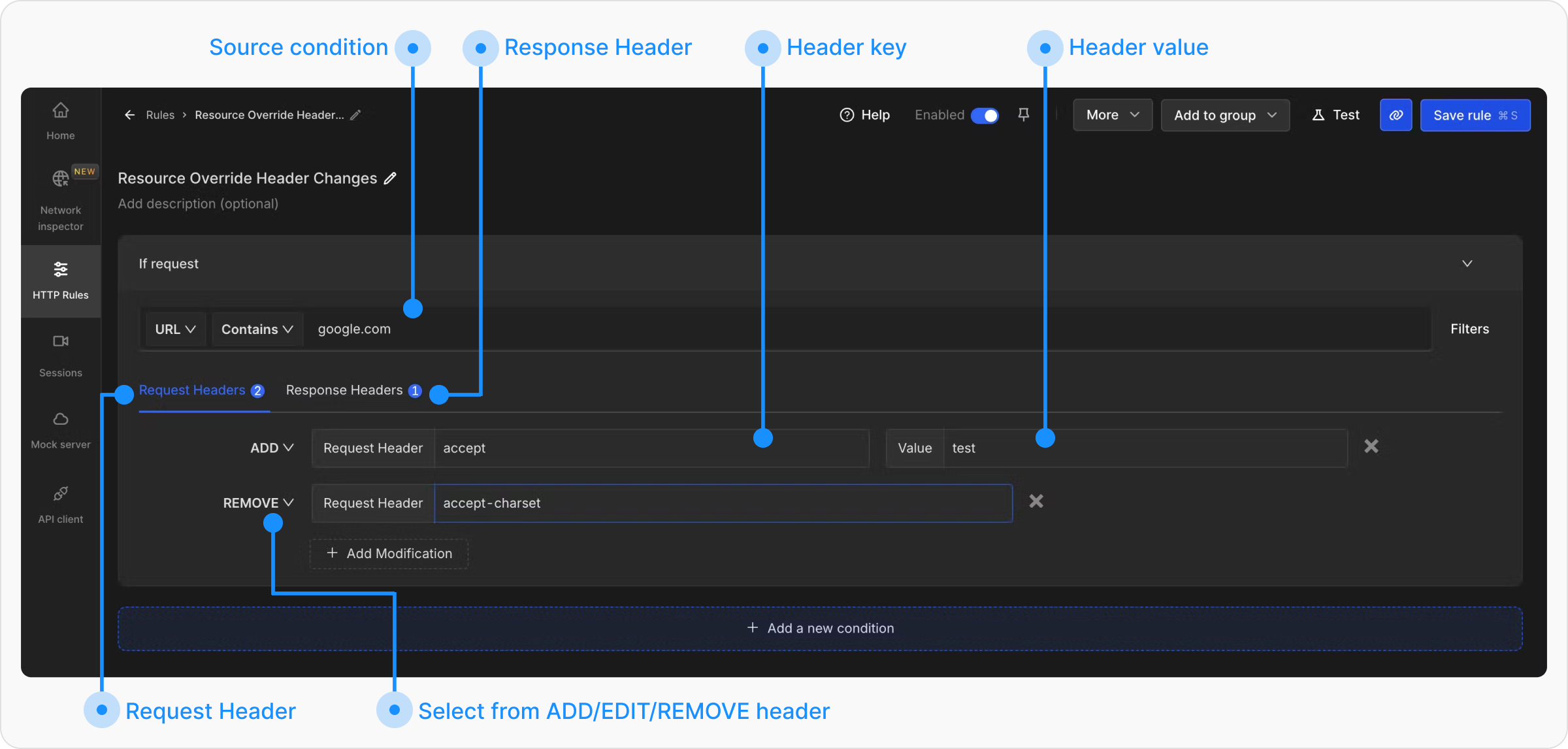
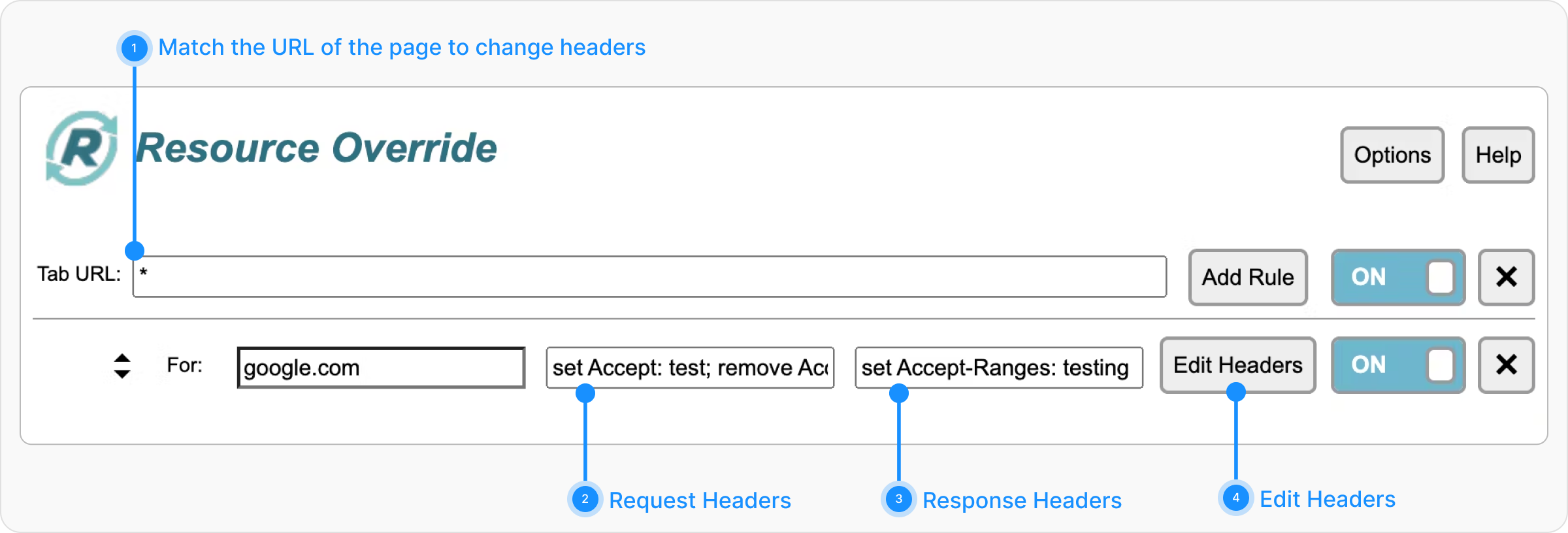 In Requestly, you can use the Modify Headers Rule and similarly configure the rule as below.