> ## Documentation Index
> Fetch the complete documentation index at: https://requestly-mintlify-changelog-requestly-past-week-38456.mintlify.site/llms.txt
> Use this file to discover all available pages before exploring further.
# Modify Headers
> Modify HTTP request and response headers with Requestly for Free. Learn how to add, remove, or override headers for debugging, testing, and customizing API requests.
***
HTTP(s) Headers are key-value pairs that pass additional information with HTTP(s) requests or responses. This document explains how developers can use Requestly to modify these headers by adding, removing, or overriding values easily.
## Why Use the Modify Headers Rule
* **Open Websites in an iframe for Testing:** Headers like `X-Frame-Options` and `Content-Security-Policy` prevent pages from being opened in iframes to avoid clickjacking. Use Requestly to modify these headers for testing purposes.\
Learn more →
* **Remove Content-Security-Policy:** The `Content-Security-Policy` header restricts the injection of external scripts. Requestly can remove this header for testing purposes.\
Learn more →
* **Debugging CORS Issues:** To resolve CORS errors in browsers, modify response headers such as `Access-Control-Allow-Origin`, `Access-Control-Allow-Methods`, `Access-Control-Allow-Headers`, and `Access-Control-Allow-Credentials`.\
Learn more →
## Steps to Create Header Rules
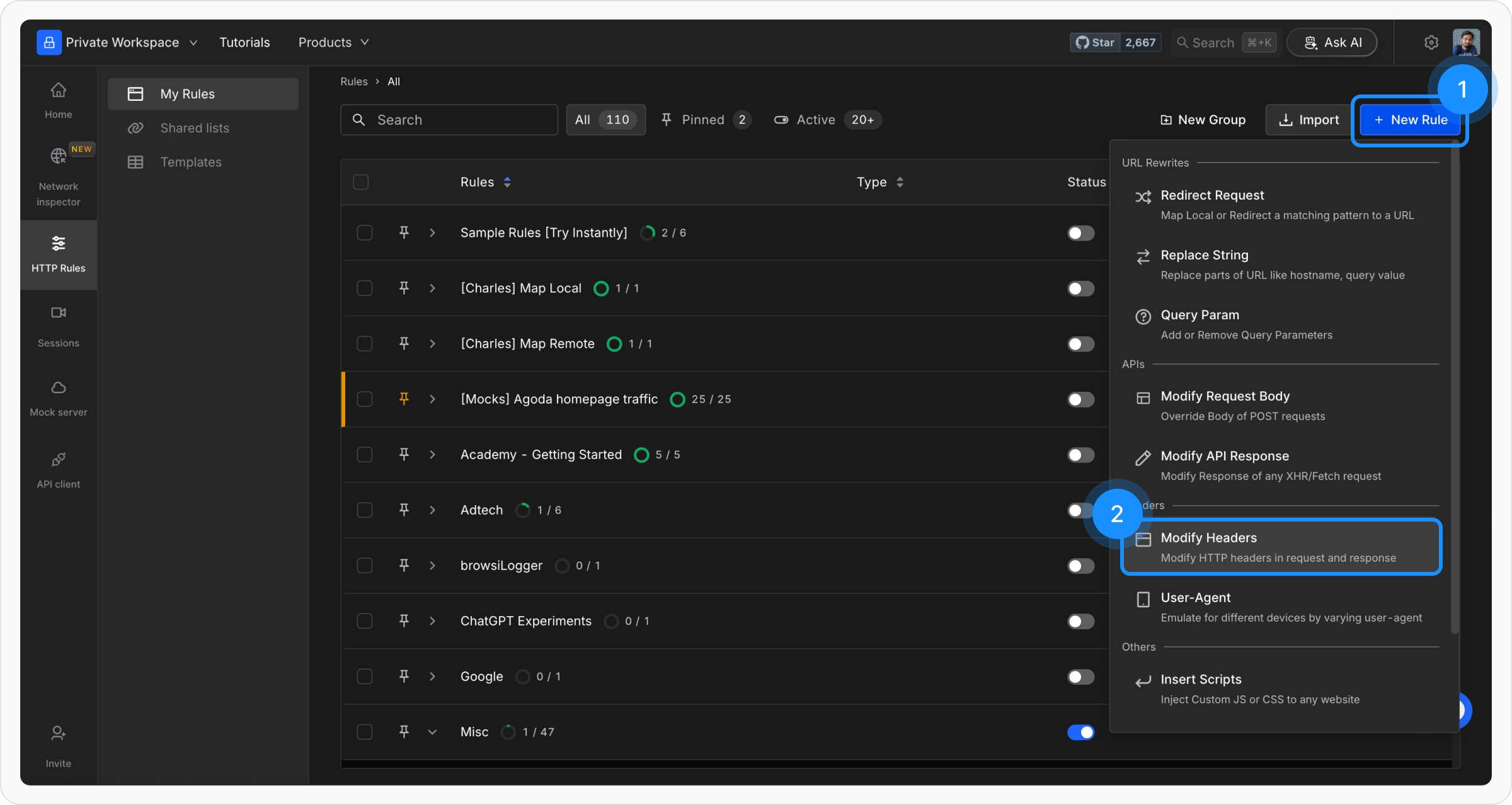
Navigate to the **HTTP Rules** section and click on `+ New Rule` and select the `Modify Headers` option.
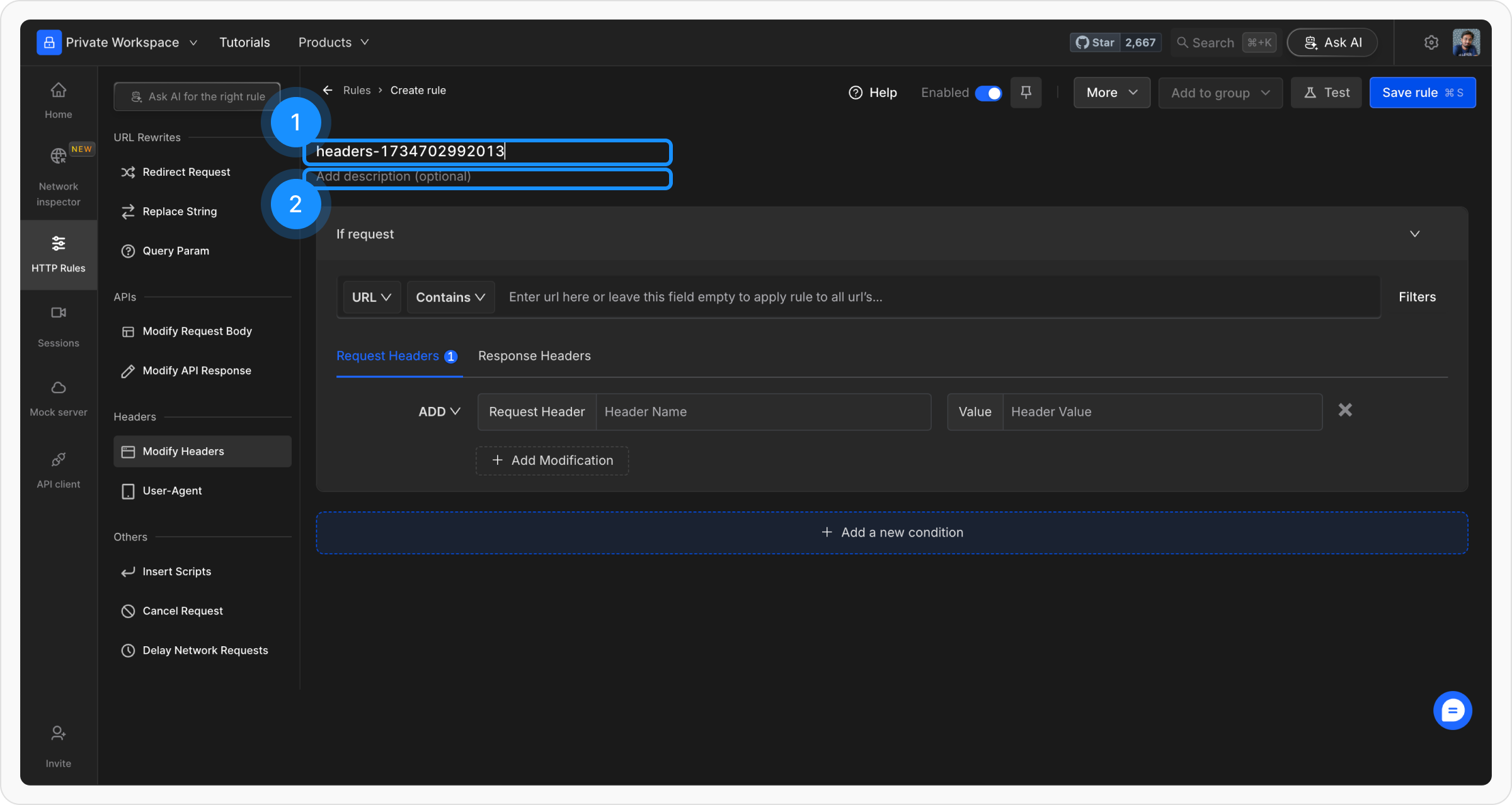
 Provide a **descriptive name** for the rule to keep your setup organised. Optionally, add a brief **description** explaining its purpose for easier identification later.
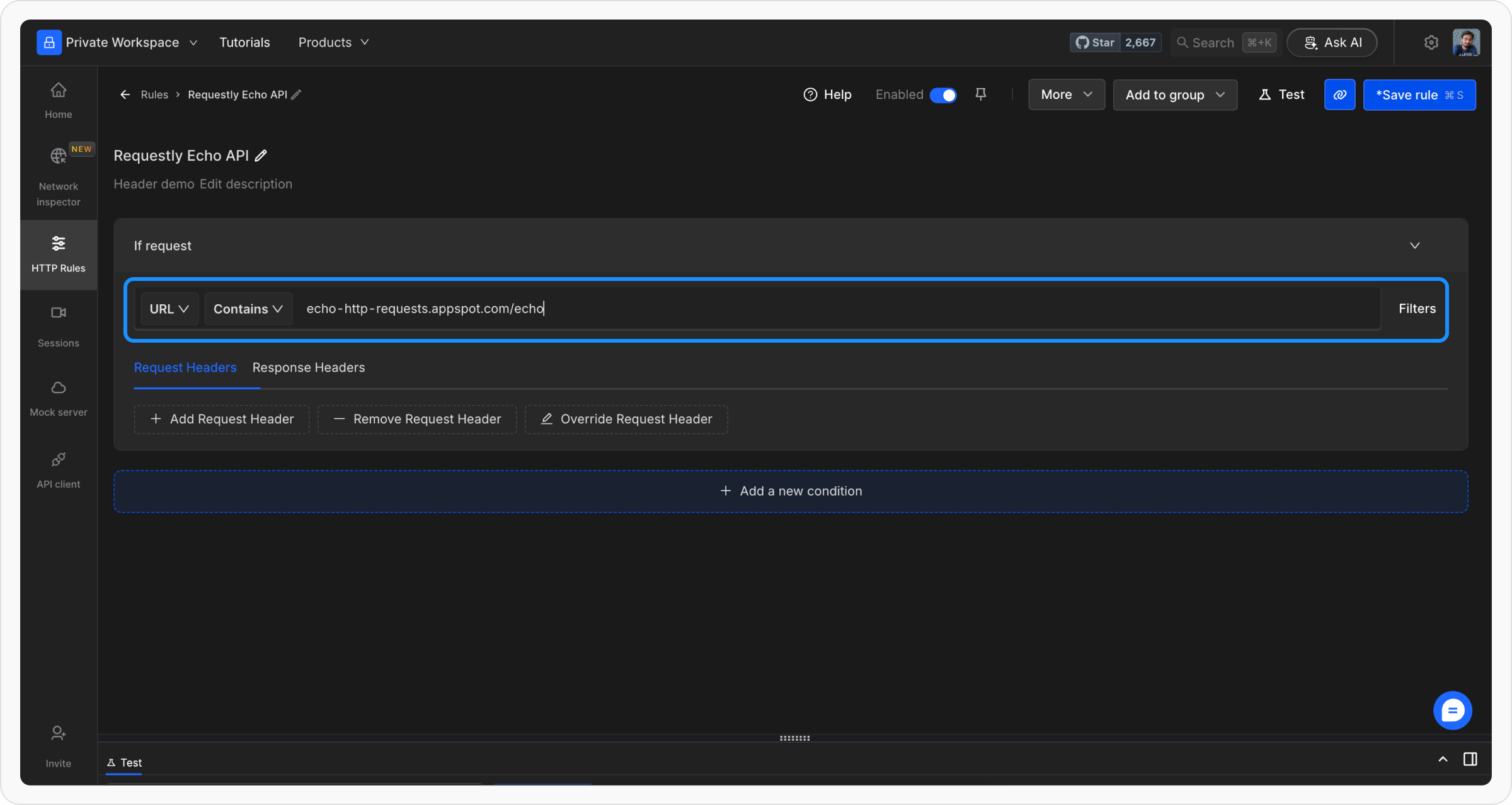
 Add conditions using **Source Condition** and **Source Filters** to target specific requests. Conditions can include URL, Host, or Path with matching options such as **Regex**, **Contains**, **Wildcard**, or **Equals**.
Let’s use an echo endpoint that returns request headers, body, query params etc as JSON response.\
Endpoint → `https://echo-http-requests.appspot.com/echo`
Add conditions using **Source Condition** and **Source Filters** to target specific requests. Conditions can include URL, Host, or Path with matching options such as **Regex**, **Contains**, **Wildcard**, or **Equals**.
Let’s use an echo endpoint that returns request headers, body, query params etc as JSON response.\
Endpoint → `https://echo-http-requests.appspot.com/echo`
 In this step, you can select the option to modify. It rule allows you to edit both the request and the response headers.
Specify key-value pairs to add, remove, or override headers. If you want to **Modify** **Request Headers**, add values under the Request headers tab.
In this step, you can select the option to modify. It rule allows you to edit both the request and the response headers.
Specify key-value pairs to add, remove, or override headers. If you want to **Modify** **Request Headers**, add values under the Request headers tab.
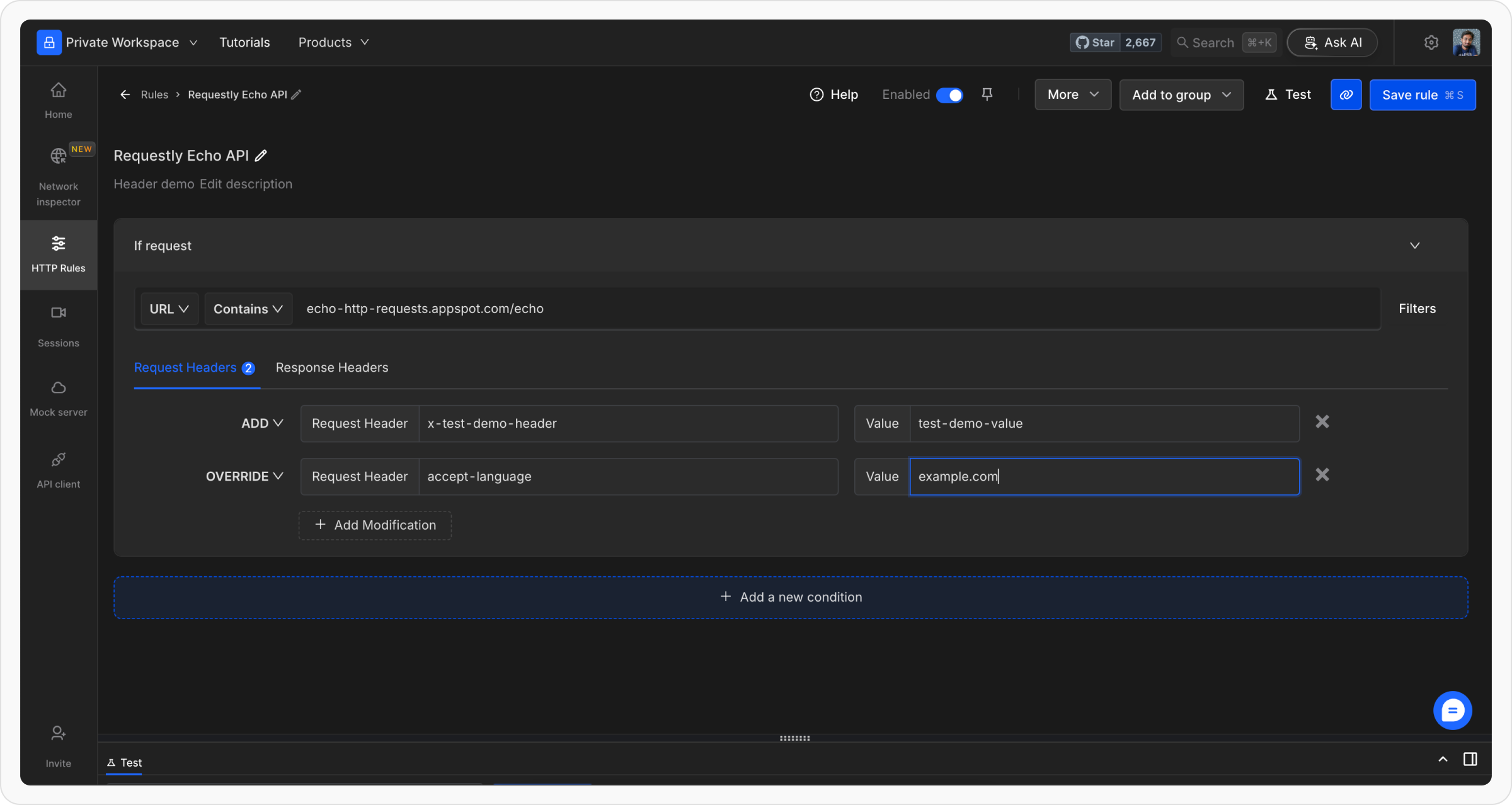 Specify key-value pairs to add, remove, or override headers. If you want to **Modify Response headers**, add values under the Response headers tab.
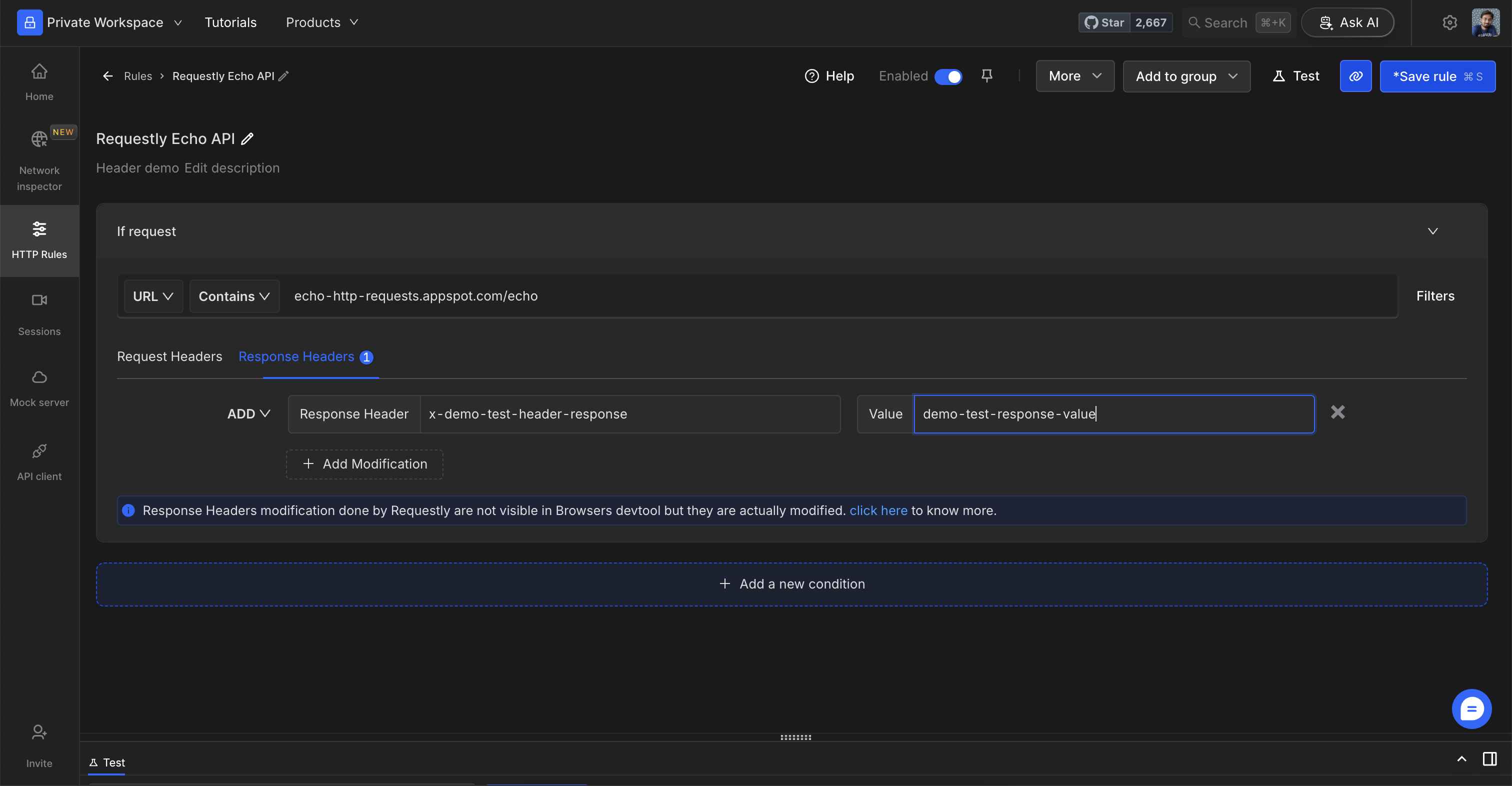 Once you are satisfied with your configuration, click `Save` to store the rule. After saving, make sure to toggle the rule `ON` to activate it. This will apply the rule and ensure it works as expected.
There are multiple ways to validate if a rule is applied or not, learn more about how to [`validate rule execution`](/general/http-rules/advanced-usage/validate-rules-execution).
Test the rule by opening the URL \[[`https://echo-http-requests.appspot.com/echo`](https://echo-http-requests.appspot.com/echo)] in a new tab to see the changed header values.
Once you are satisfied with your configuration, click `Save` to store the rule. After saving, make sure to toggle the rule `ON` to activate it. This will apply the rule and ensure it works as expected.
There are multiple ways to validate if a rule is applied or not, learn more about how to [`validate rule execution`](/general/http-rules/advanced-usage/validate-rules-execution).
Test the rule by opening the URL \[[`https://echo-http-requests.appspot.com/echo`](https://echo-http-requests.appspot.com/echo)] in a new tab to see the changed header values.
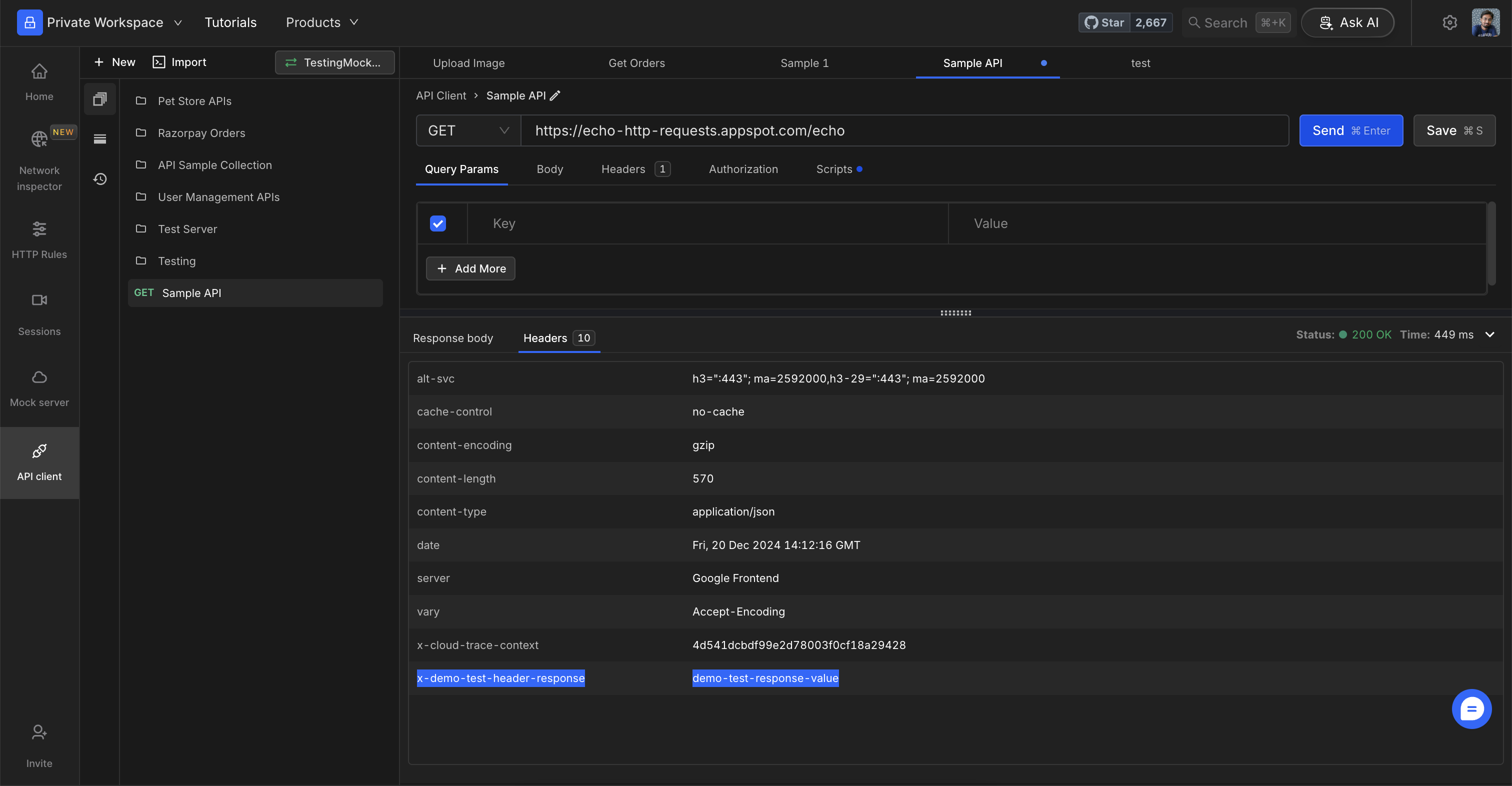
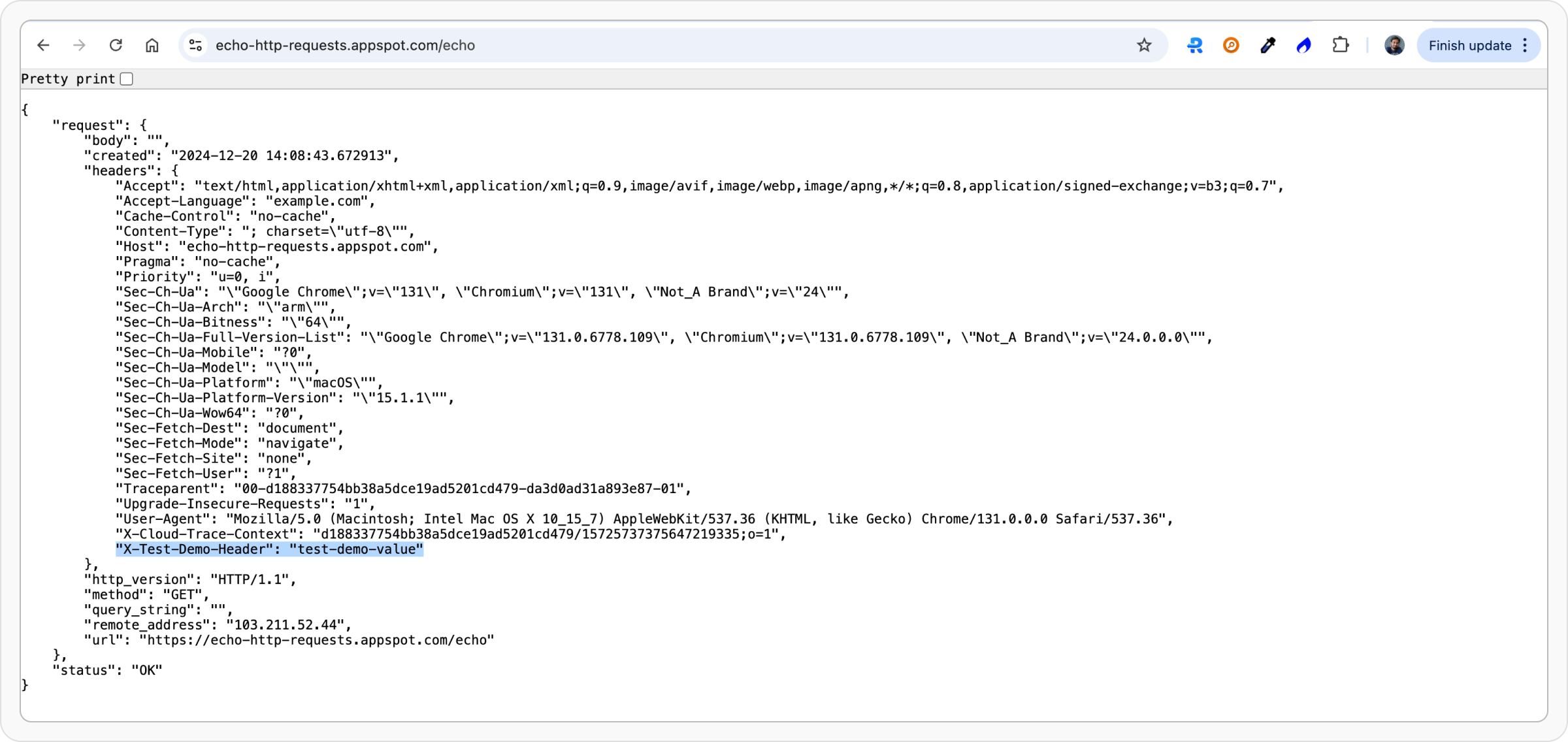 Test by calling the API from Requestly’s API Client.