> ## Documentation Index
> Fetch the complete documentation index at: https://requestly-mintlify-changelog-requestly-past-week-38456.mintlify.site/llms.txt
> Use this file to discover all available pages before exploring further.
# Using Variables in API Requests
Once you've defined variables in Requestly—whether global, environment, collection, or subcollection — you can reference them directly in your API requests. This allows you to dynamically inject values into URLs, headers, request bodies, scripts, and more.
## **Use Variables in API Requests**
### **Step 1: Create or Open a Request**
Create or open an existing request in the **API Client**.
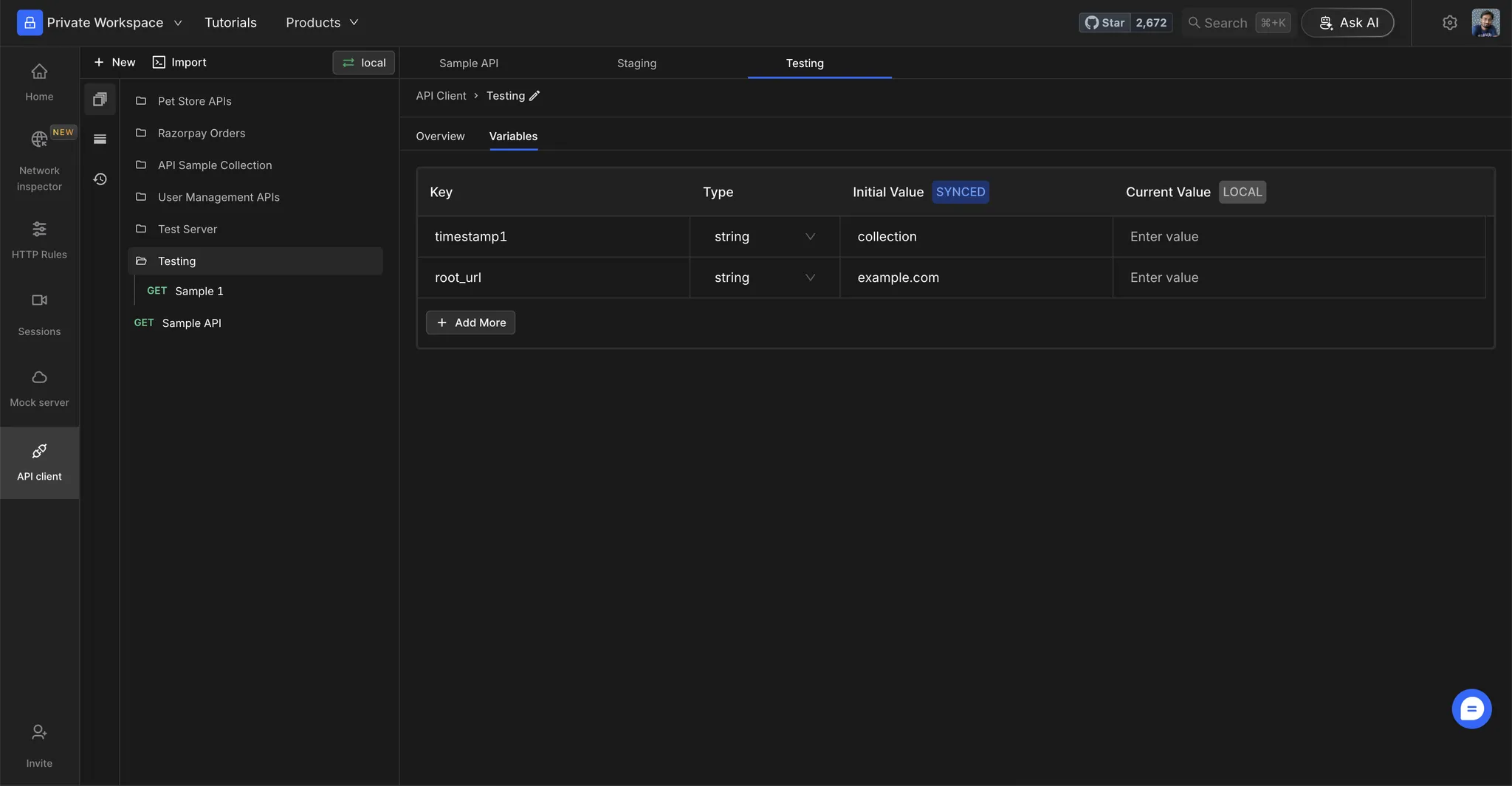 ### **Step 2: Replace Static Values**
Replace static values with your environment variables using the `{{variable_name}}` syntax.
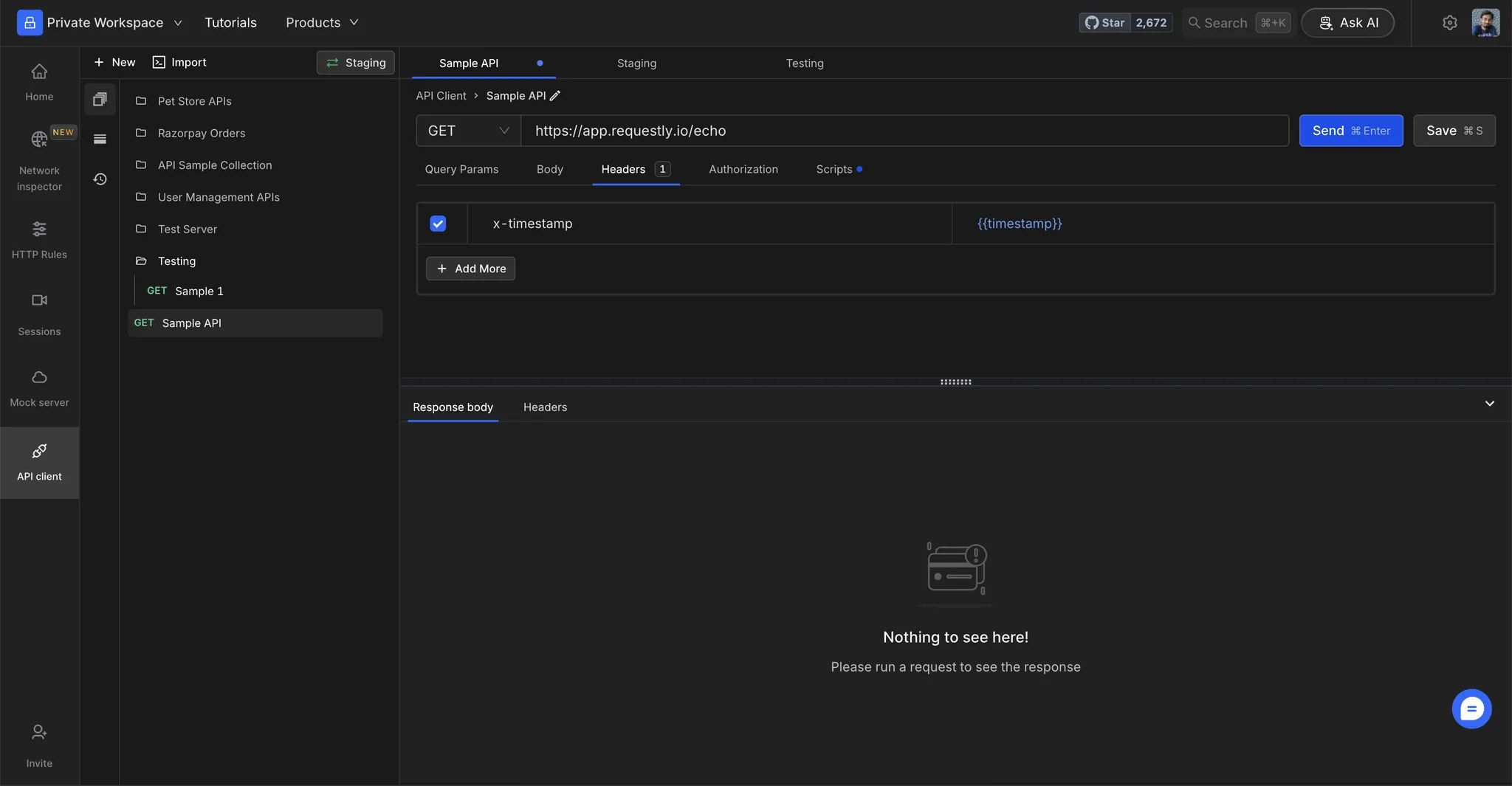
### **Step 2: Replace Static Values**
Replace static values with your environment variables using the `{{variable_name}}` syntax.
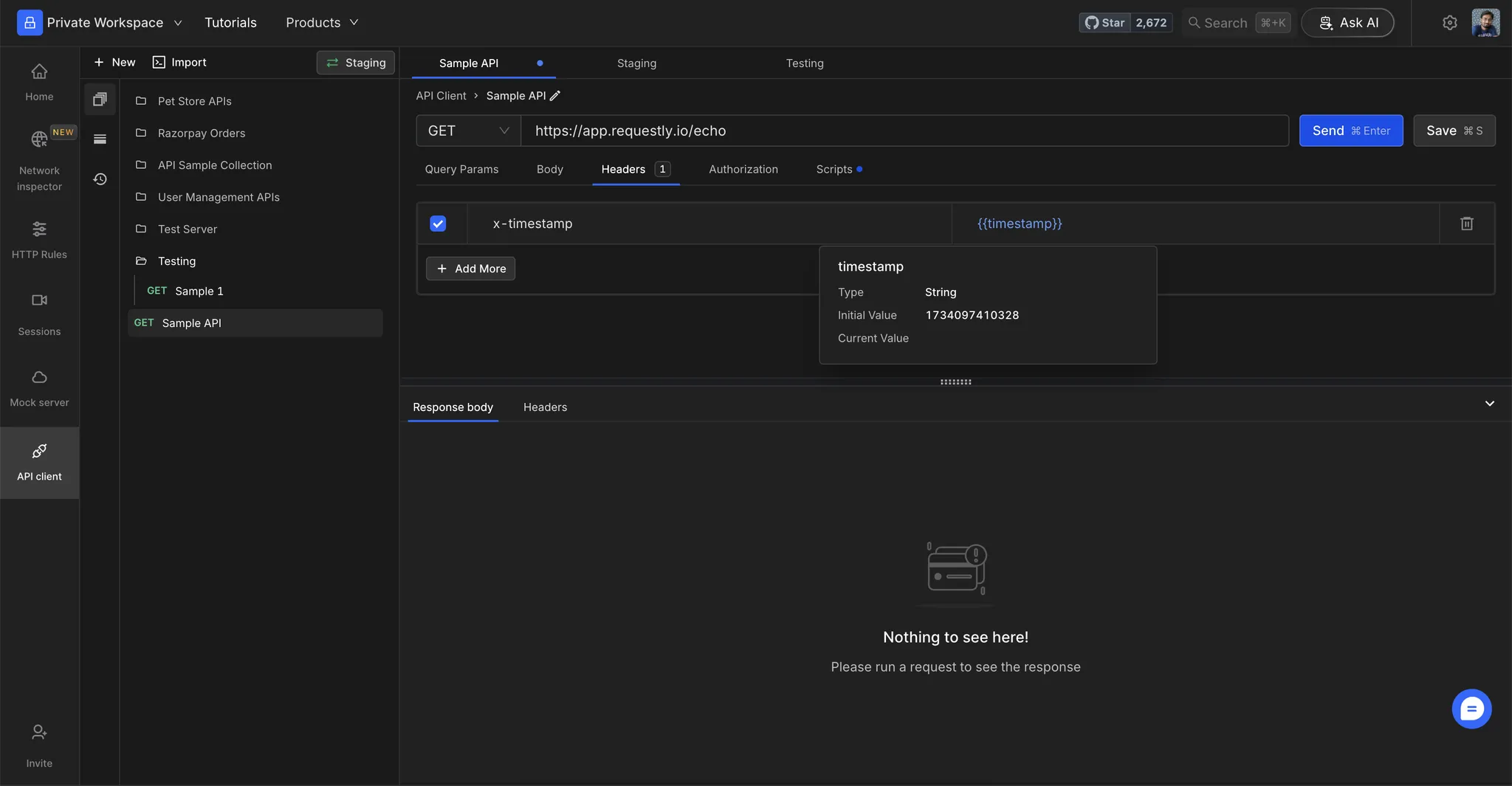
 ### **Step 3: View Variable Values**
Hover over a variable to see its resolved value.
### **Step 3: View Variable Values**
Hover over a variable to see its resolved value.
 ## **Test Your Setup**
### **Step 1: Execute the Request**
Click **Send** to execute the request.
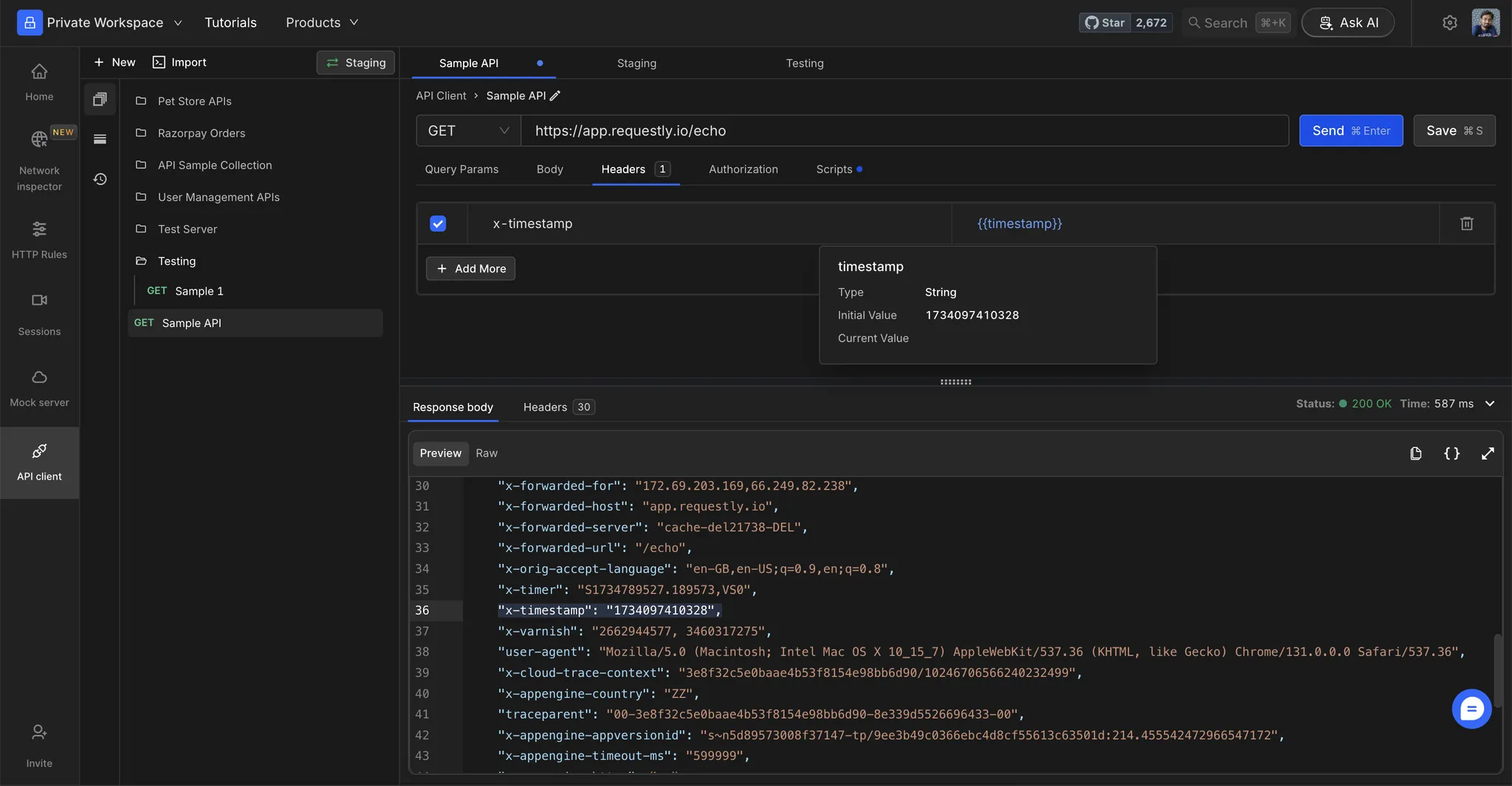
### **Step 2: Verify Resolved Values**
Check the resolved values in the **Request Preview** to ensure that variables are substituted correctly.
## **Test Your Setup**
### **Step 1: Execute the Request**
Click **Send** to execute the request.
### **Step 2: Verify Resolved Values**
Check the resolved values in the **Request Preview** to ensure that variables are substituted correctly.
 If a variable isn't resolving, verify that the variable name matches exactly (case-sensitive) and is present in the selected environment.