> ## Documentation Index
> Fetch the complete documentation index at: https://requestly-mintlify-changelog-requestly-past-week-38456.mintlify.site/llms.txt
> Use this file to discover all available pages before exploring further.
# API Collections
> Organise and manage APIs with Requestly’s API Collections. Learn to create, rename, delete collections, use folders, and explore collection variables.
***
API Collections help developers and QA teams organize and group APIs for better management. They also offer additional features such as detailed API information and collection-specific variables. Let's explore how to create, manage, and utilize API Collections and their features.
## Create API Collection
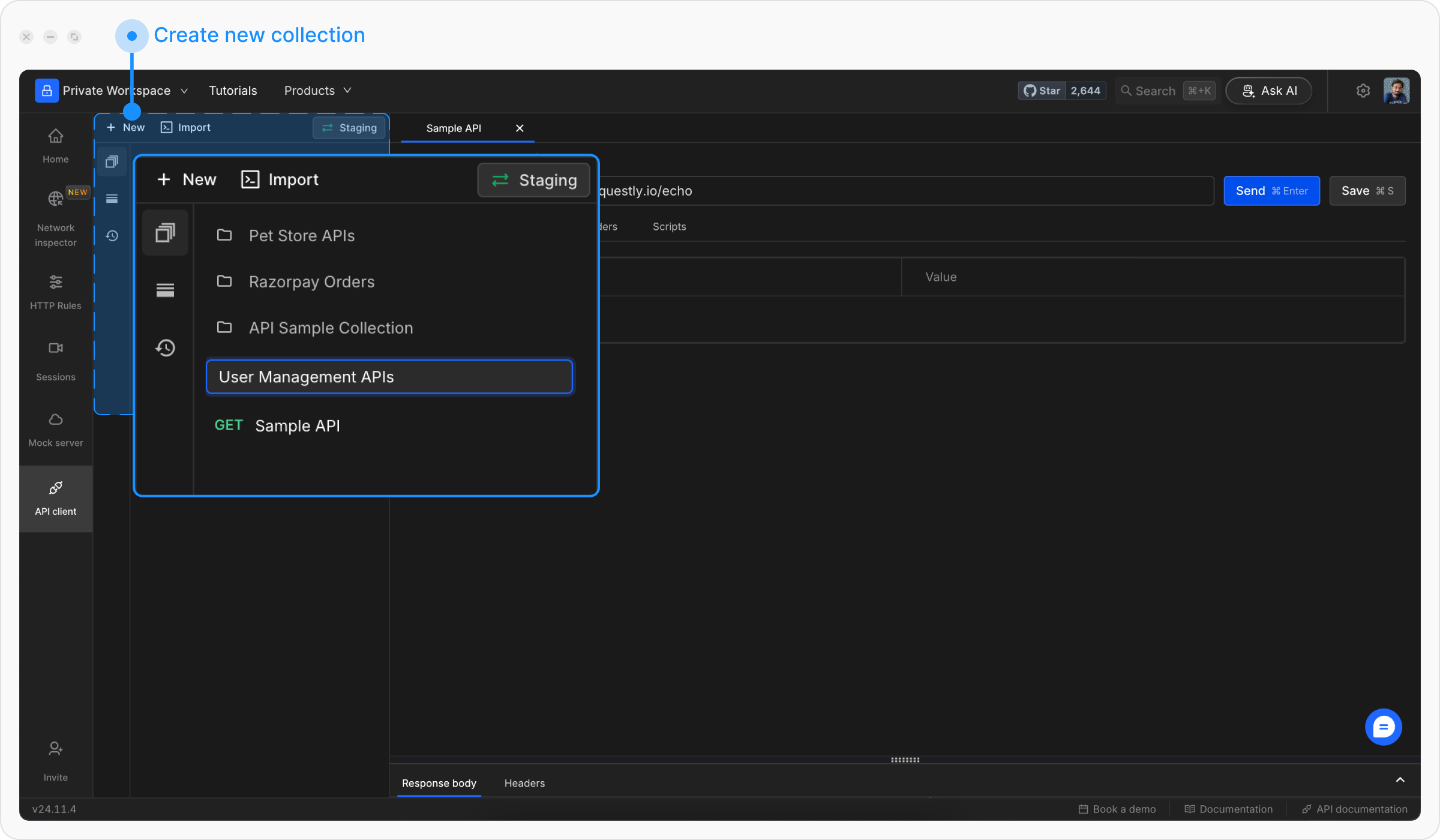
**Step 1:** Click **+ New** and select **Collection**.
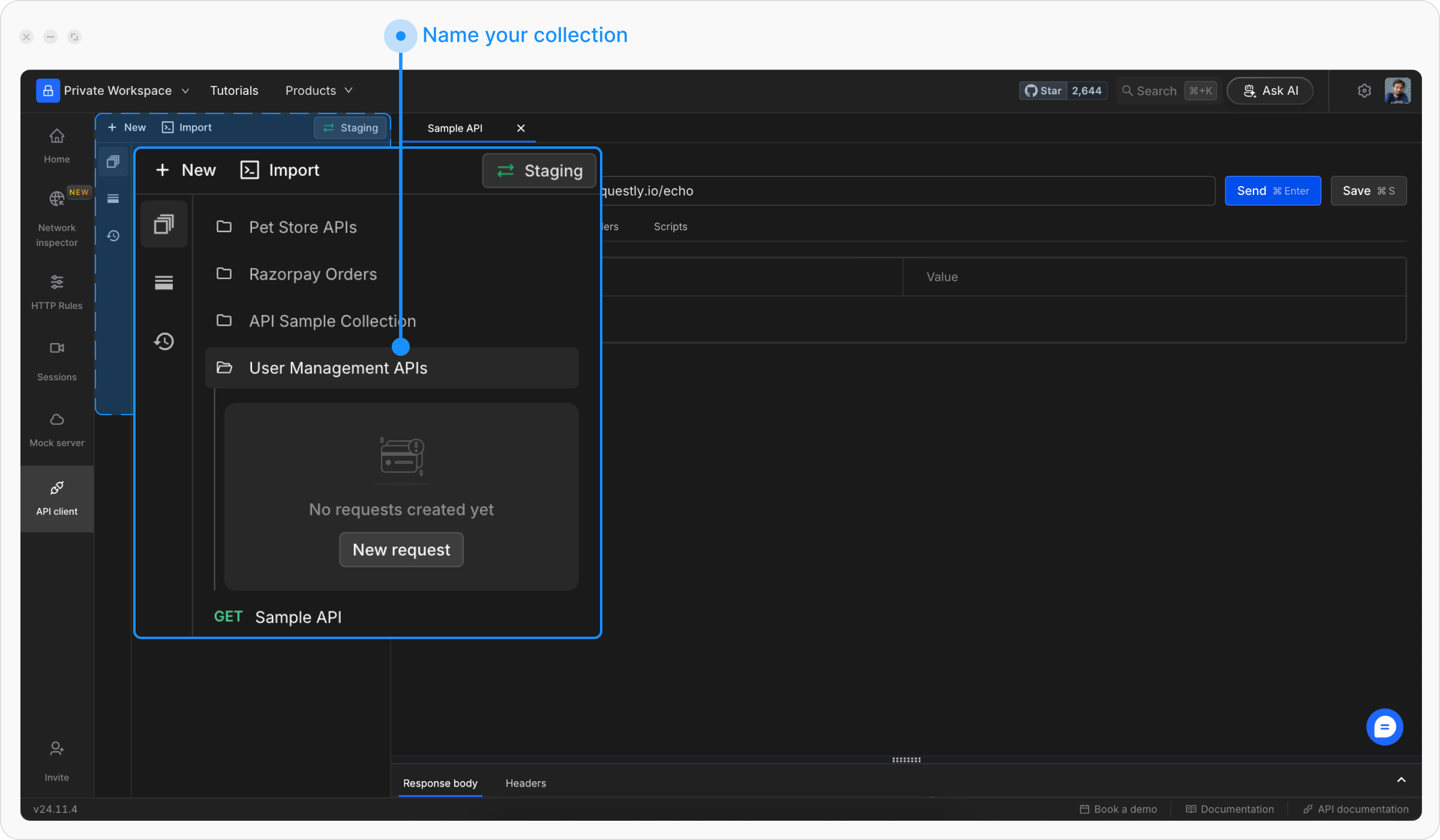
**Step 2:** Provide a descriptive name (e.g., “User Management APIs”) and hit **Enter**.
Once a collection is created, you can add requests and sub-collections.
## Rename API Collection
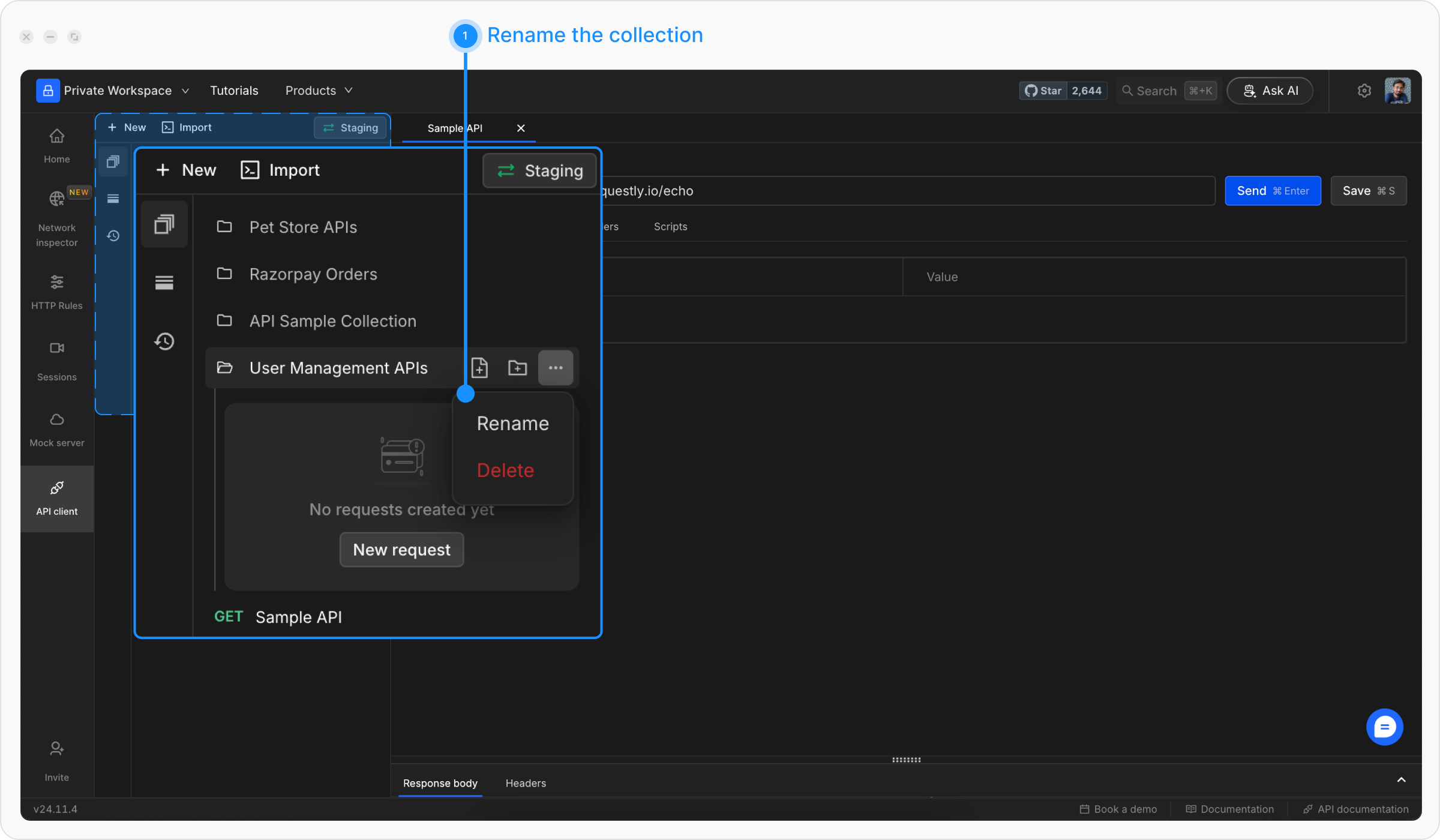
**Step 1:** Click the **More** icon next to the collection name you want to rename, then select Rename.
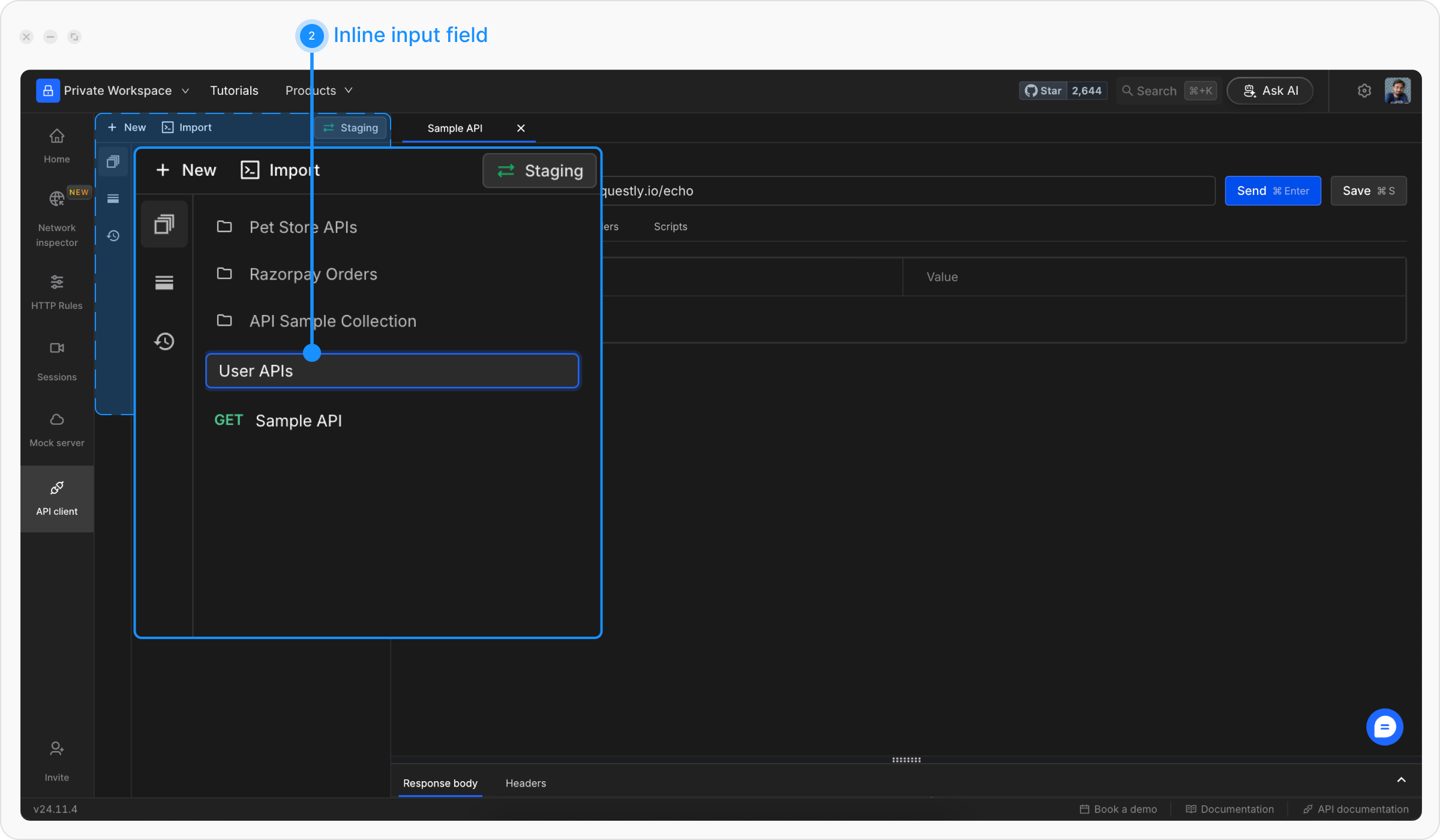
**Step 2:** An inline input field will appear with the current name. Update the name and press **Enter** to save the changes.
## Delete API Collection
**Step 1:** Click the **More** icon next to the collection name and select `Delete`.
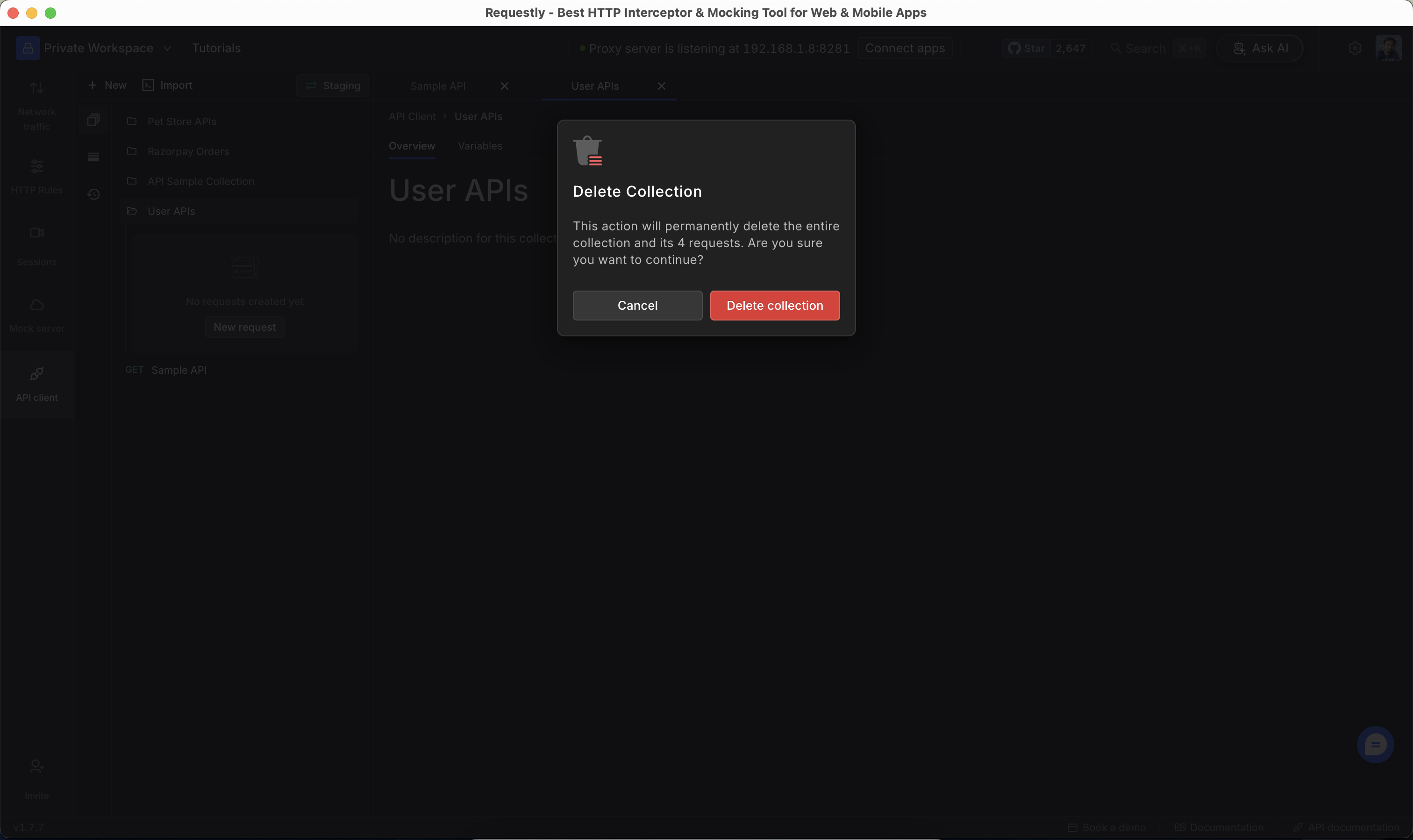
**Step 2:** Confirm the action in the Delete Collection prompt.
Make sure you are deleting the correct collection. Deleted collections are permanently removed and cannot be recovered.
## Create Folders
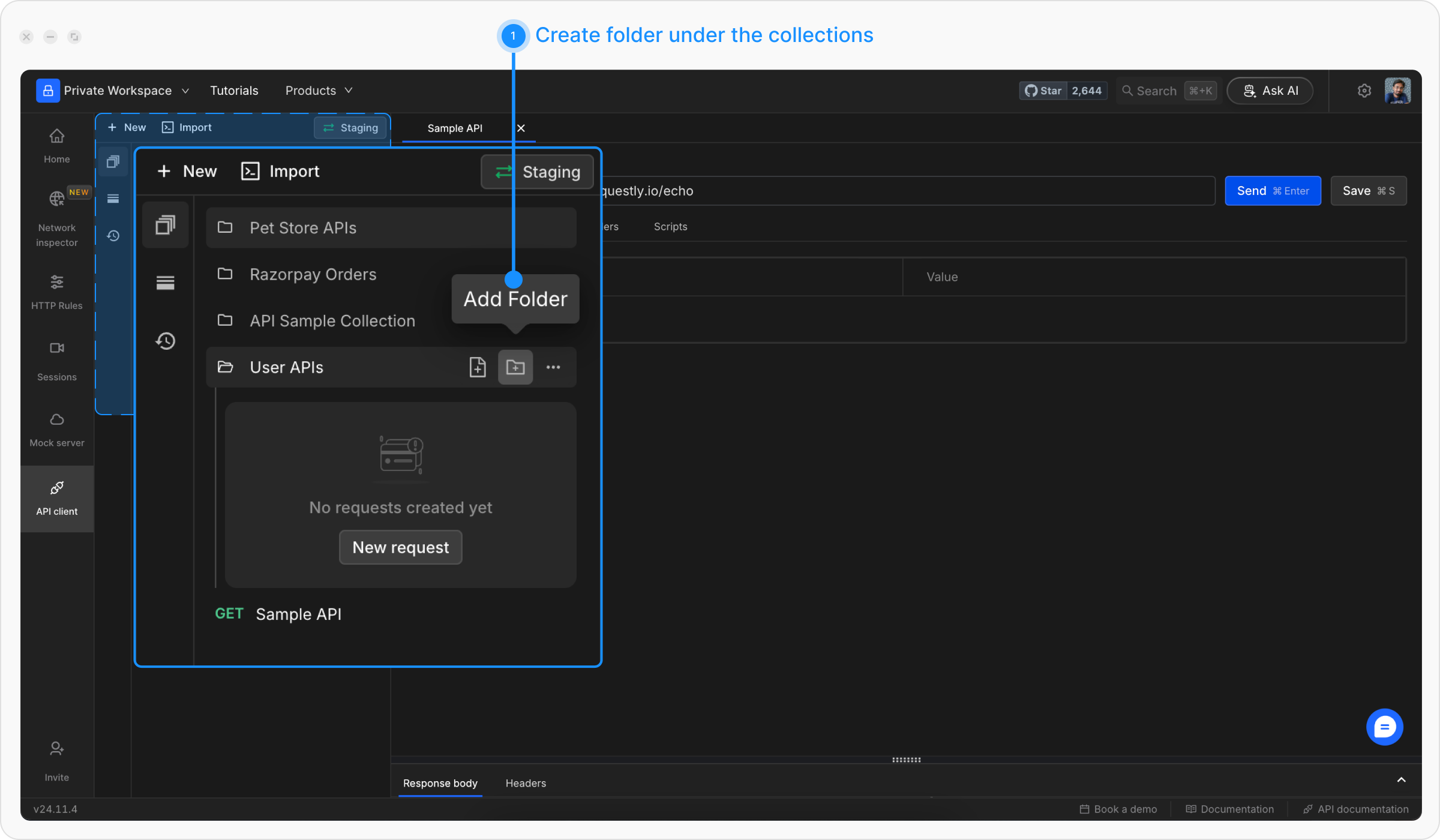
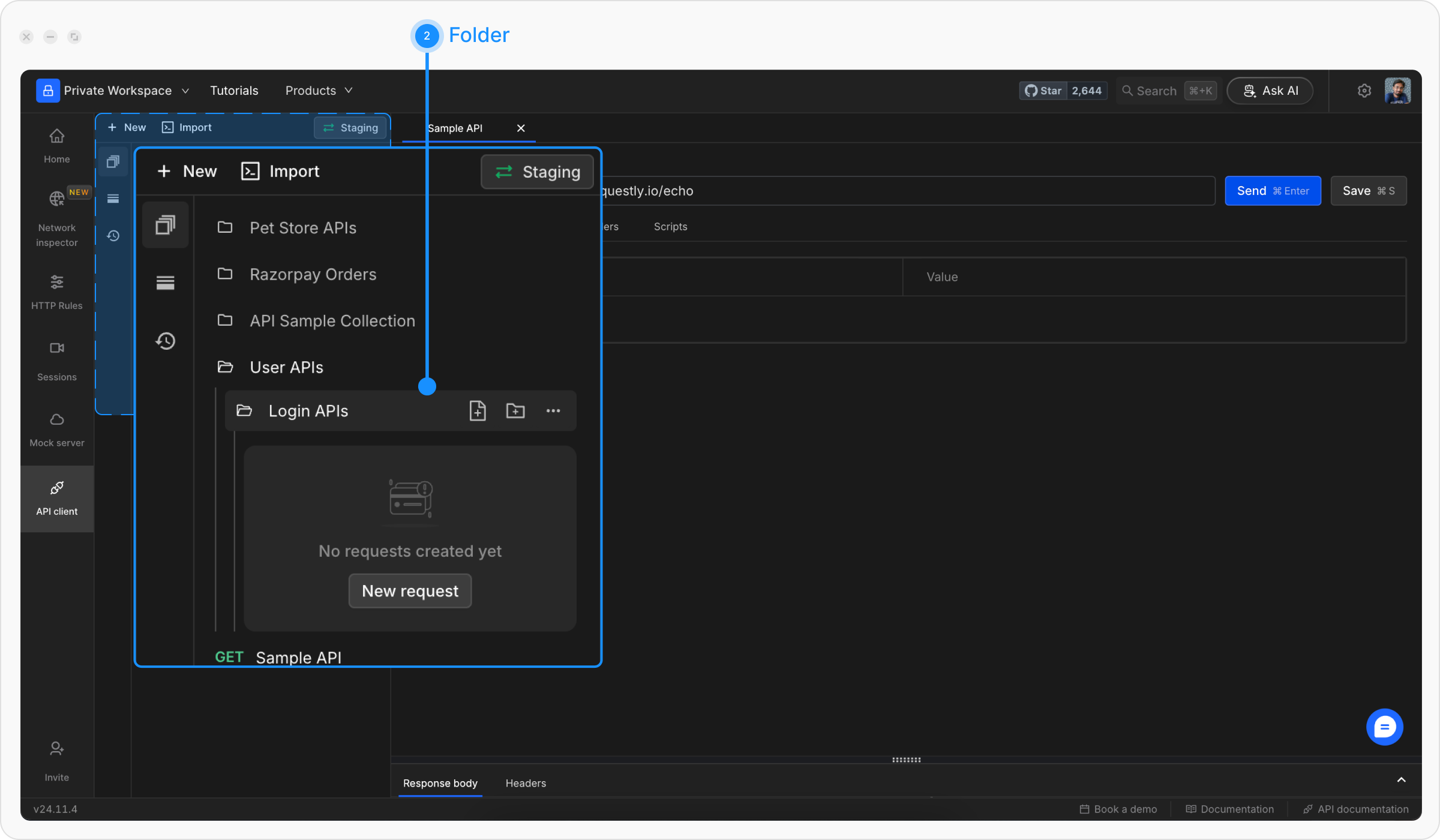
Folders allow you to create sub-groups within a collection. They can have their own collection variables and share all the features of a collection. Folders(Sub-Collections) inherit all the collection variables from its parent. However, You can override parent-collection variables by defining a collection variable inside the sub-collection.
**Step 1:** Click on the Add Folder icon next to the collection name.
**Step 2:** Provide a descriptive name (e.g., “Login APIs”) and press **Enter**.
## Collection Variables
Collections include a **collection variables** feature that allows you to define and manage reusable values specific to the collection. Collection Variables are defined as key-value pairs that work as the base set of variables for collections. They can be used in API definitions with double curly braces `{{collection_variable}}`
Learn more about this feature on the [Variables](/general/api-client/environments-and-variables) page.
 **Step 2:** Provide a descriptive name (e.g., “User Management APIs”) and hit **Enter**.
 Once a collection is created, you can add requests and sub-collections.
## Rename API Collection
**Step 1:** Click the **More** icon next to the collection name you want to rename, then select Rename.
Once a collection is created, you can add requests and sub-collections.
## Rename API Collection
**Step 1:** Click the **More** icon next to the collection name you want to rename, then select Rename.
 **Step 2:** An inline input field will appear with the current name. Update the name and press **Enter** to save the changes.
 ## Delete API Collection
**Step 1:** Click the **More** icon next to the collection name and select `Delete`.
**Step 2:** Confirm the action in the Delete Collection prompt.
## Delete API Collection
**Step 1:** Click the **More** icon next to the collection name and select `Delete`.
**Step 2:** Confirm the action in the Delete Collection prompt.
 **Step 2:** Provide a descriptive name (e.g., “Login APIs”) and press **Enter**.
 ## Collection Variables
Collections include a **collection variables** feature that allows you to define and manage reusable values specific to the collection. Collection Variables are defined as key-value pairs that work as the base set of variables for collections. They can be used in API definitions with double curly braces `{{collection_variable}}`
Learn more about this feature on the [Variables](/general/api-client/environments-and-variables) page.
## Collection Variables
Collections include a **collection variables** feature that allows you to define and manage reusable values specific to the collection. Collection Variables are defined as key-value pairs that work as the base set of variables for collections. They can be used in API definitions with double curly braces `{{collection_variable}}`
Learn more about this feature on the [Variables](/general/api-client/environments-and-variables) page.